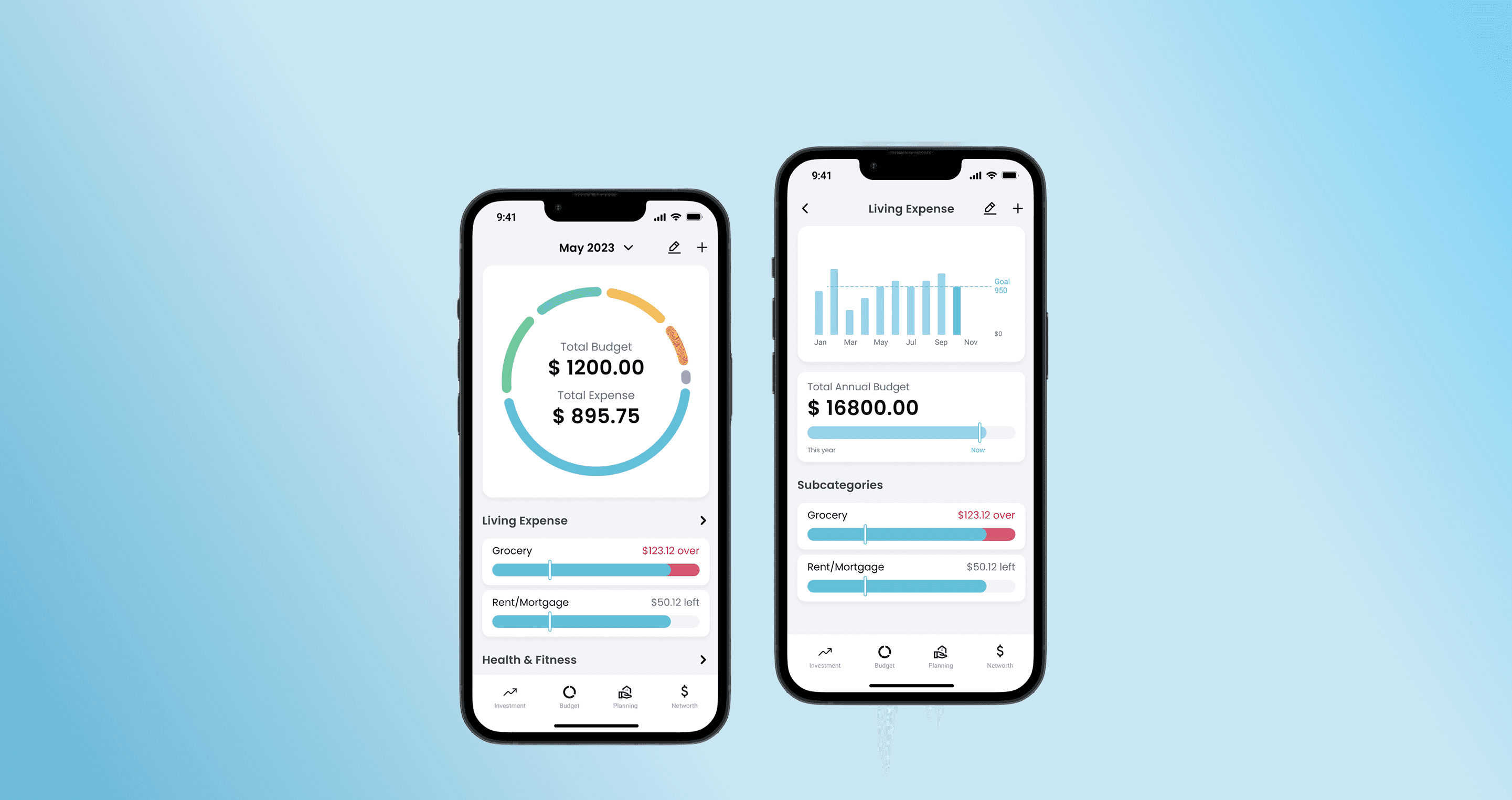
Rebuilding Budgeting for Web-to-Mobile: A Dual-Persona Dashboard with +20% Engagement
Outcome
What's the problem? What's the goals?
❓Problem to Solve
An unclear budgeting workflow caused confusion and led to high drop-off rates.
🪨 Unique Challenge
Rebranding and porting the product from web to mobile while keeping the experience intuitive for existing users.
📍Project Goal
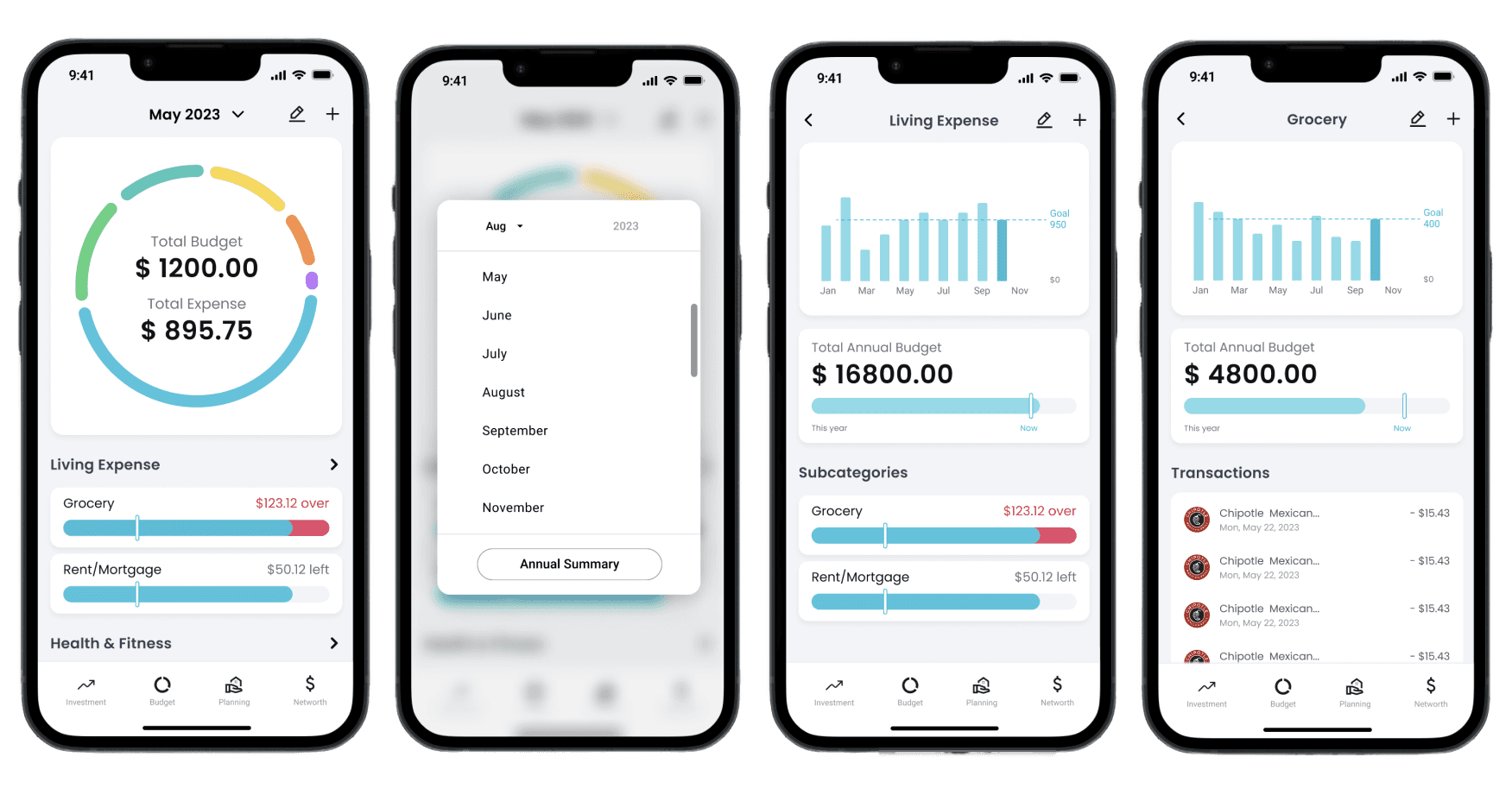
Streamlined the budget feature that enables users to manage their budget status.
📈 Business Needs
Leadership plans to increase user base by rebranding and adding mobile product line.
What's Shepherd Money?
An ai-powered personalized financial planning platform
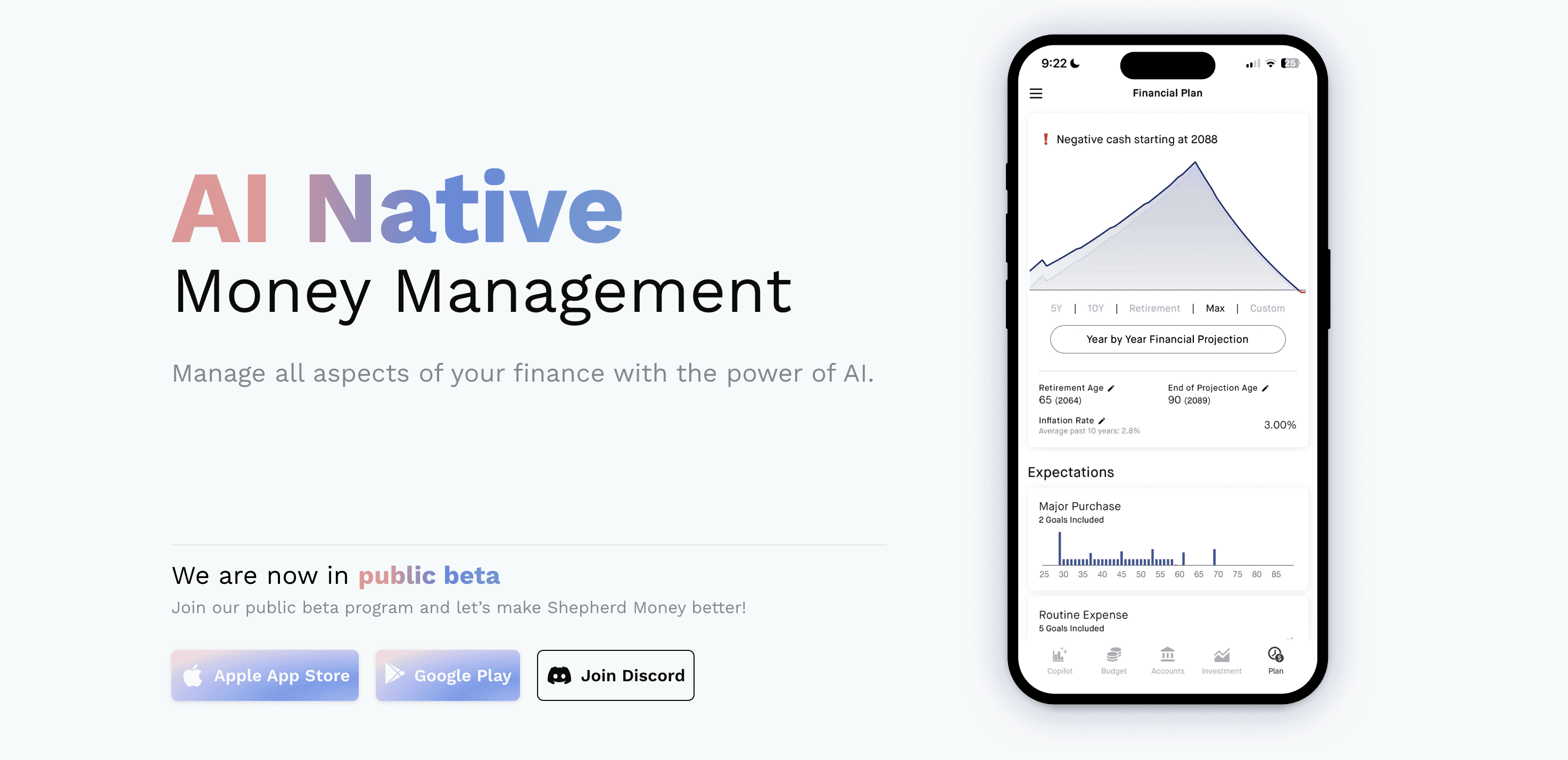
Shepherd Money helps users manage every aspect of their finances—from budgeting and net worth tracking to personalized investment strategies—all with a focus on tailored insights and ease of use.
Process
Research Insights
I conducted competitive analysis and user interviews to uncover the pinpoints of old budget feature.
Poor Navigation Structure
Unclear interface makes budgeting features hard to find, causing frustration and inefficient finance tracking.
Ineffective Feature Exposure
Poor feature visibility leads to missed opportunities for better financial management.
Rigid Budgeting Workflows
Limited budget customization restricts users from managing finances according to their goals.
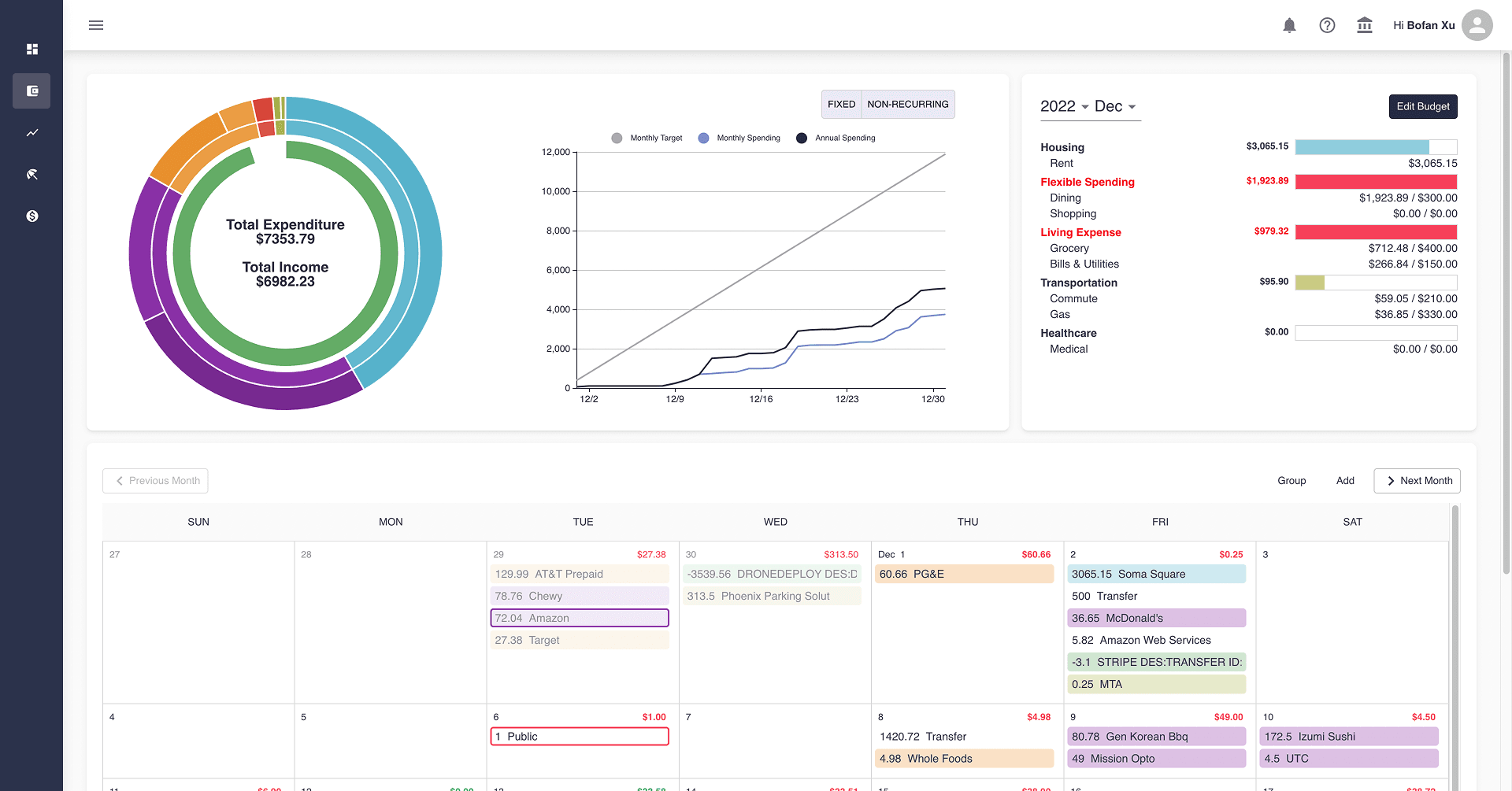
The old website product
User interviews indicate that users need personalized features to address unique financial goals.
We conducted interviews with 5 users from different occupations to understand their financial needs. Early-career users face distinct challenges, such as student loans and limited financial knowledge, setting them apart from general users. Therefore, Their short-term financial goals require a more tailored budgeting experience.
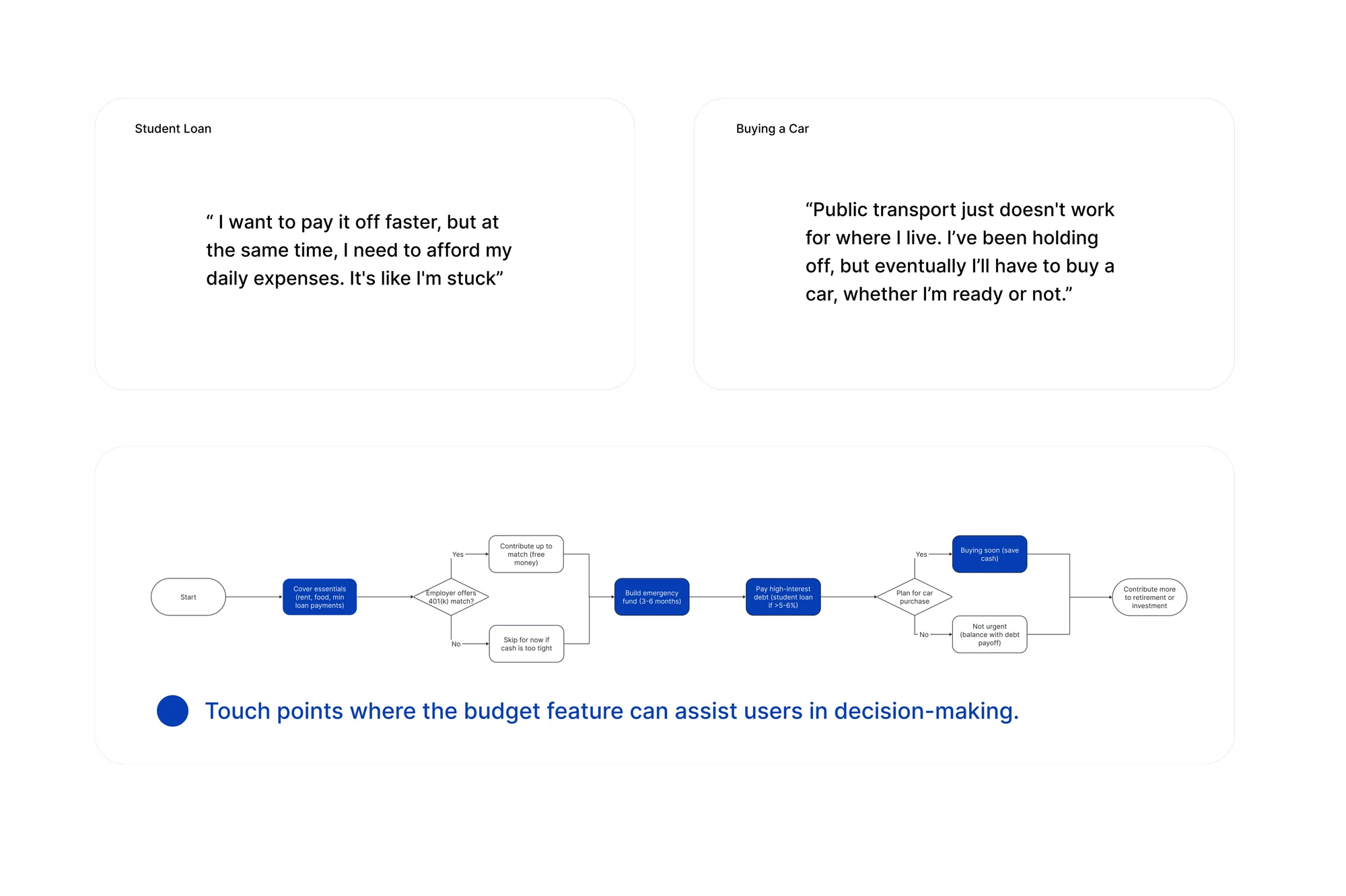
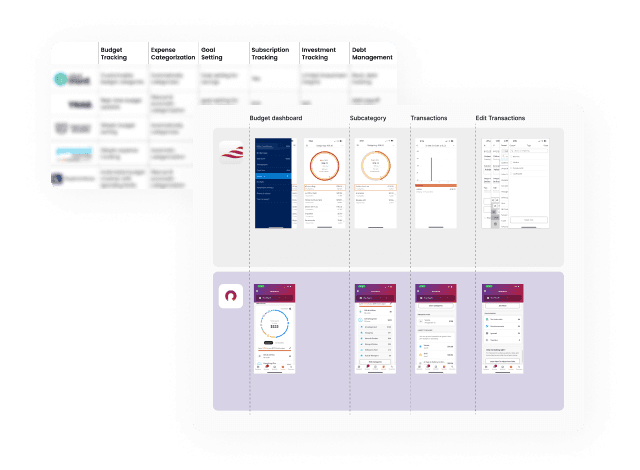
Competitor analysis reveals best practices for dashboard-centric and card-based design patterns.
Across various personal finance apps, we found that dashboard-centric design enhances engagement by providing a clear overview of budgets, spending trends, and goals. A card-based UI improves usability, allowing users to track and adjust budgets effortlessly.
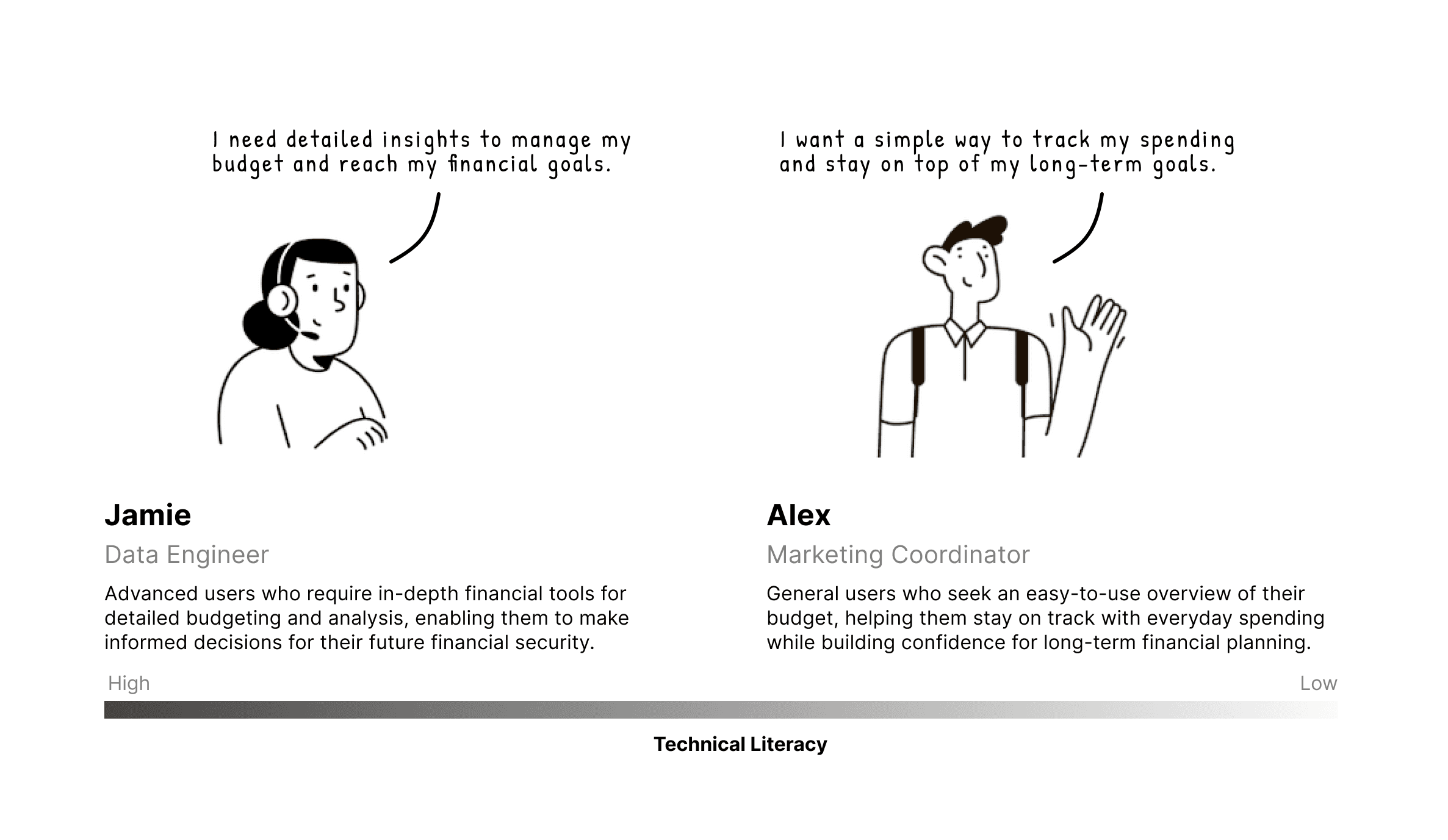
Understanding different user types
The Budget Dashboard caters to two main user groups—general users with limited finance knowledge who need a straightforward view of their budget, and advanced users who want to manage their finances in detail, utilizing more in-depth tracking and analytical features.
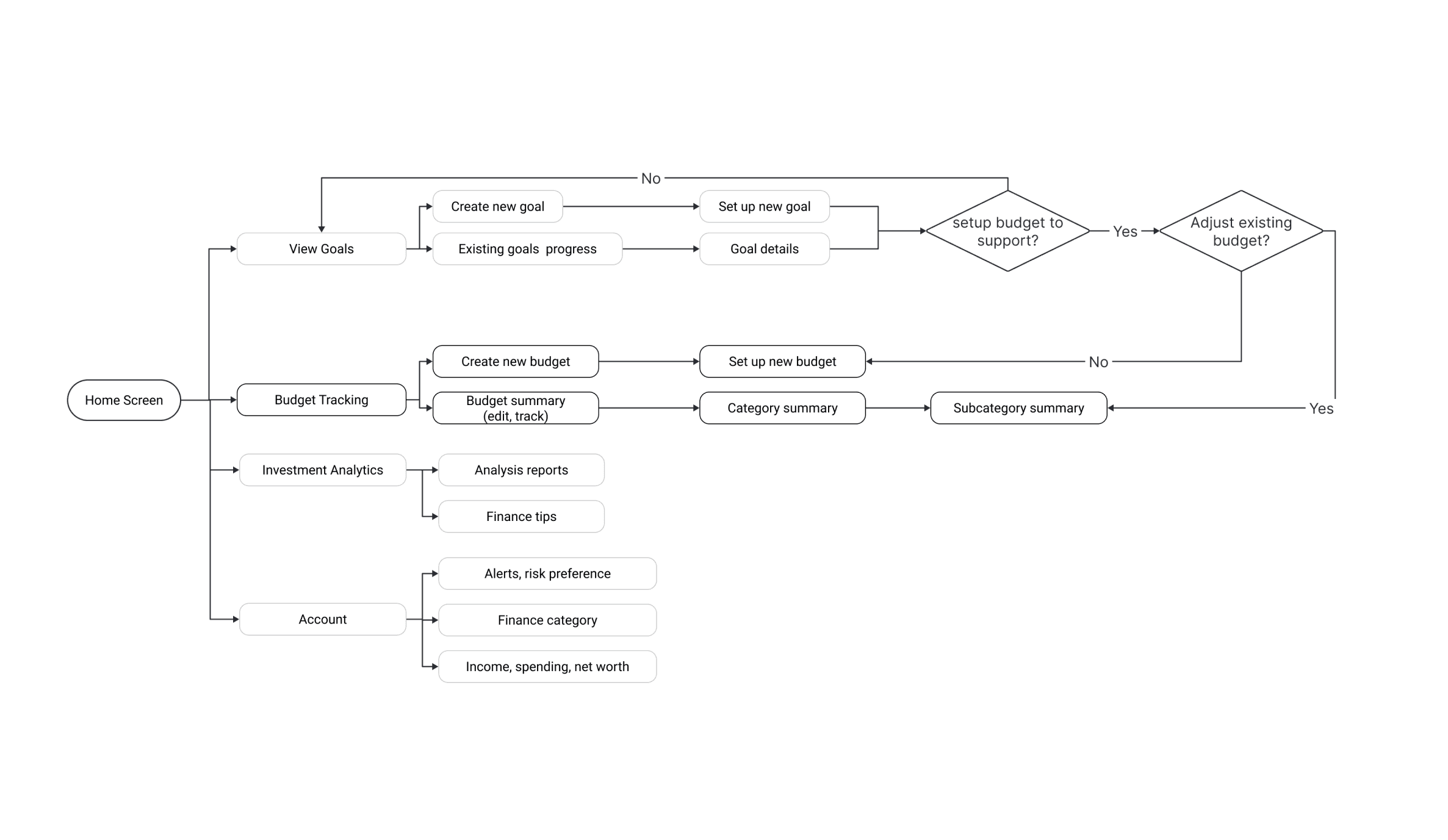
Map out early hypothesis and IA to test
With insights from research, I began the design process by structuring the initial Information Architecture for the overall experience to discuss key functionalities with stakeholders.
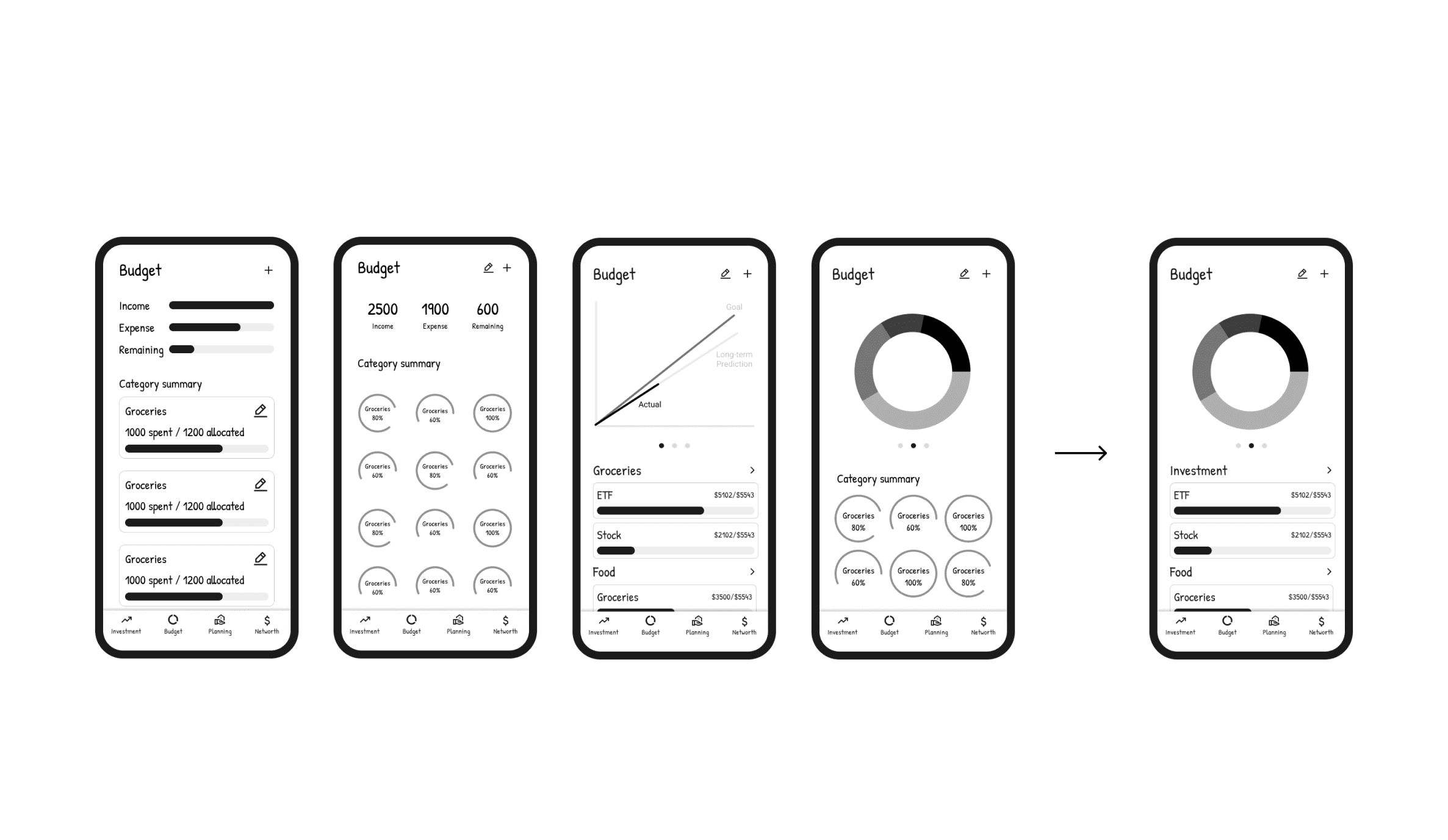
Explore wireframes
I iterated through 4 layout ideas for the budget dashboard, ultimately choosing a design that balances high-level insights with accessible details, enhancing user engagement and clarity.
Iterate through usability testing feedback - 1
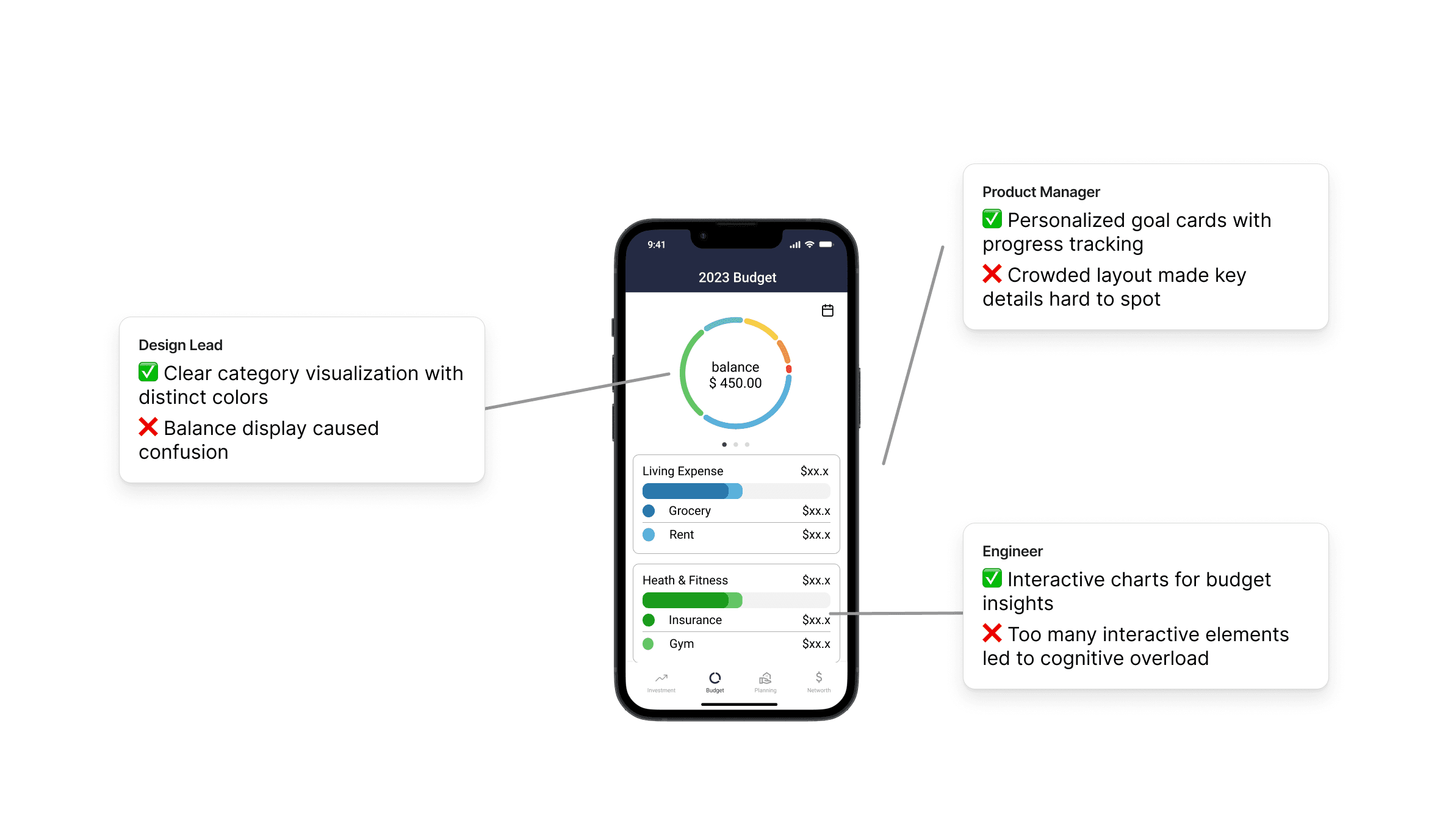
As I moved into prototyping using Figma, I worked closely with product managers and engineers to find a balance between user needs and business requirements.
Iterate through usability testing feedback - 2
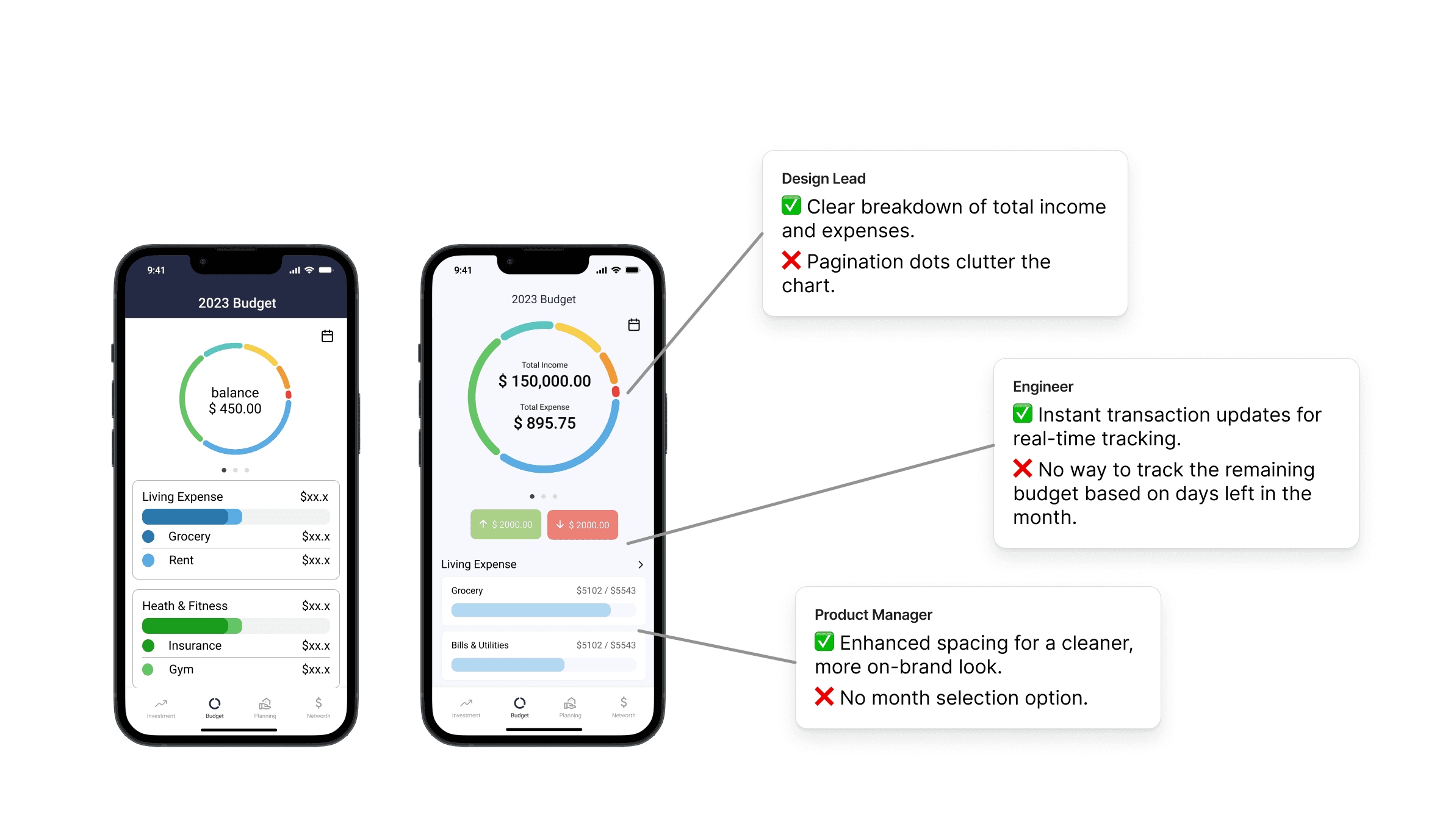
Based on feedback from the design lead and engineering team, I iterated on the initial budget interface to reduce visual clutter and integrate real-time tracking features.
Final version with design system implementation
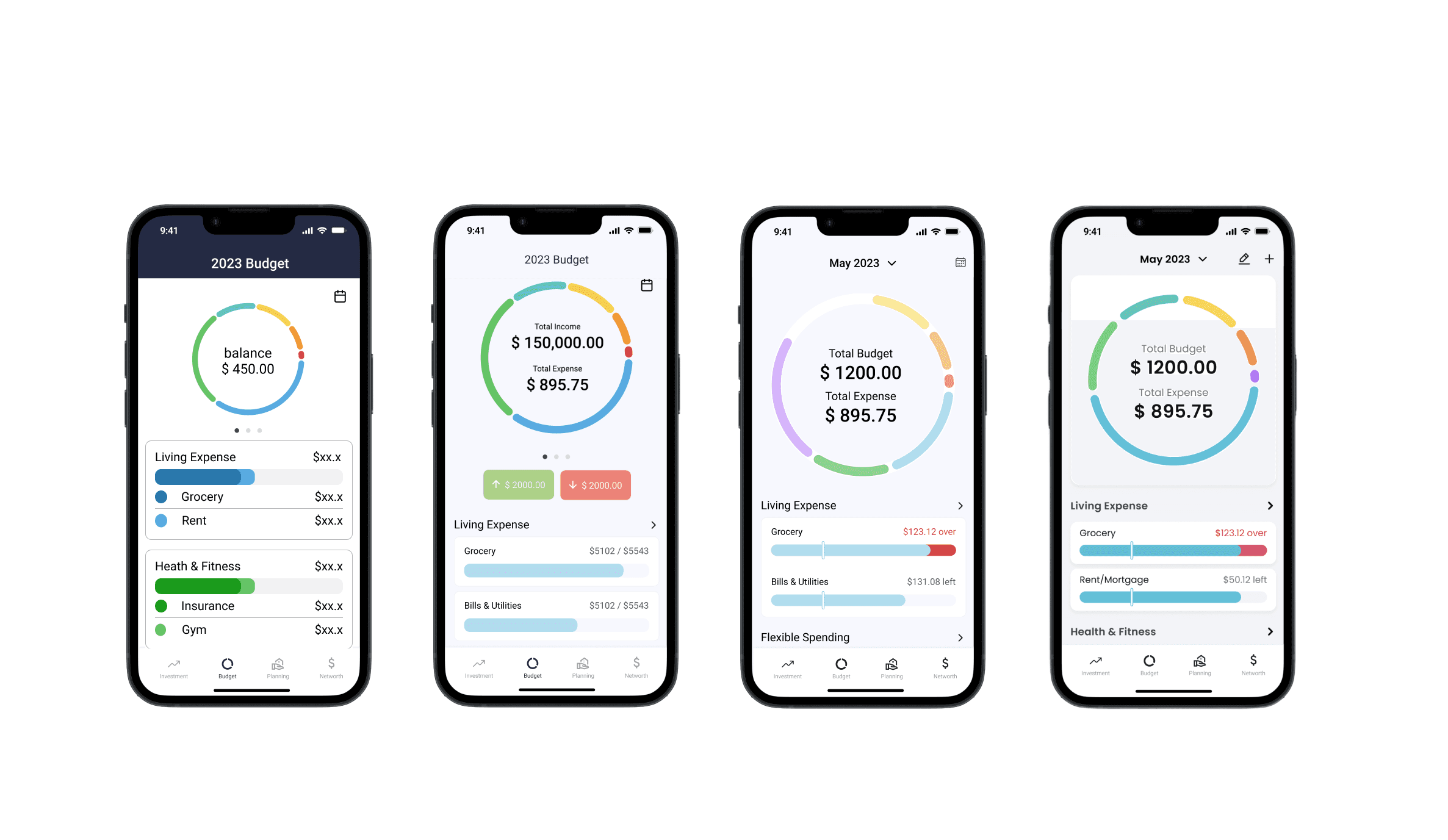
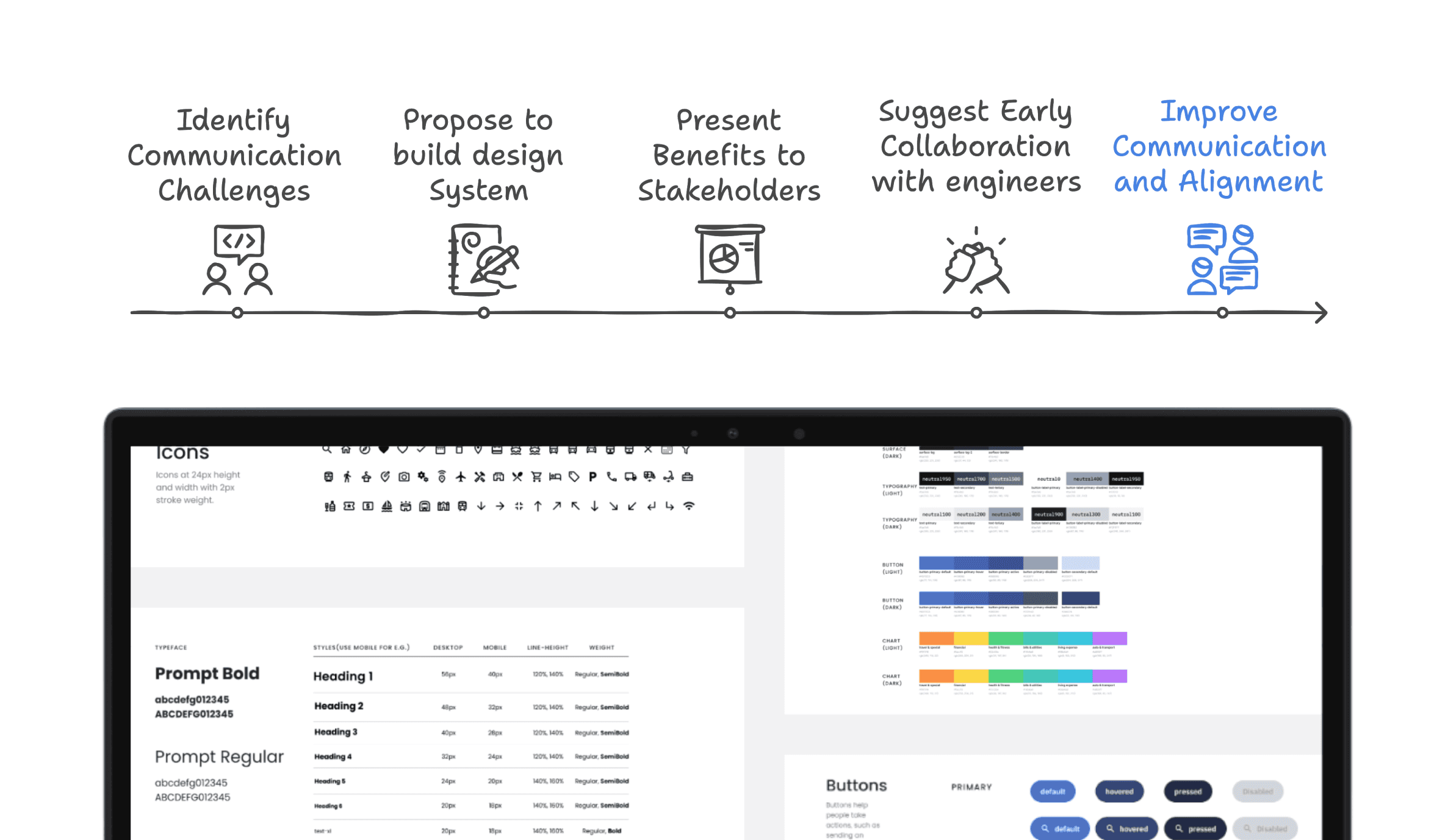
After finalizing the designs, I recognized the need for a scalable design system. I refined the visuals to ensure consistency, improving cohesion across the product.
Challenges
Balance between stakeholders and existing product
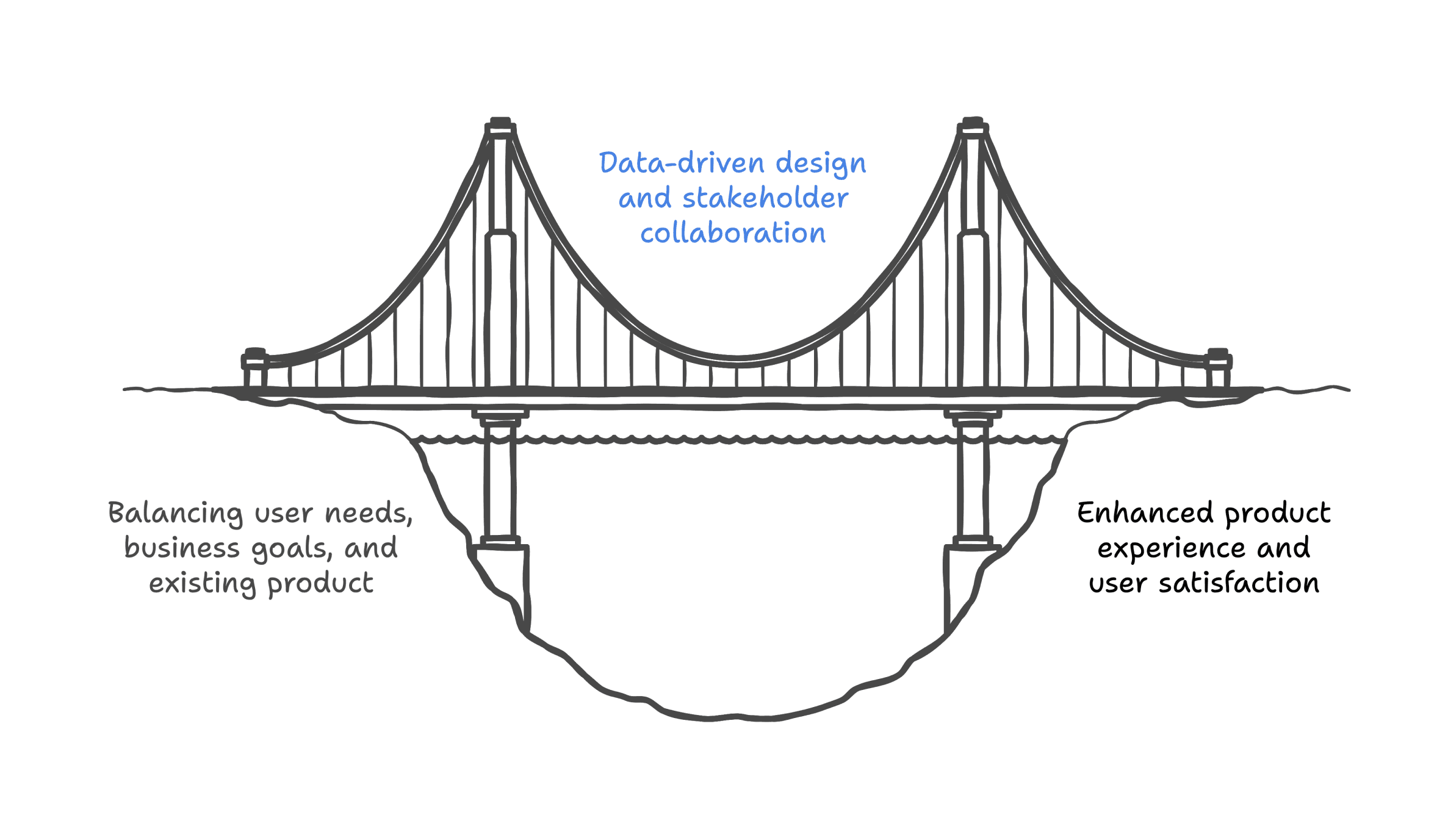
Before ideating solutions, I faced a few challenges about balancing between user needs, business goals and existing website product within the constraint of limited resources and strict timeline.
Collaborate with development team
Facing communication challenges with engineers, I proposed to build a design system to bridge this gap, presented its benefits to stakeholders, and fostered early collaboration, ultimately achieving stronger alignment and efficiency across the team.
Final Design
Reflections
Effective Communication with Pixels and Color Codes
When collaborating on the project, one valuable lesson is the importance of using specific units like pixels (px) and color codes to communicate design elements accurately. Additionally, specifying color codes precisely, such as hex codes or RGB values, helps maintain color consistency throughout the project.
Prioritizing Functionality before Visual Design
By doing this, I established a strong foundation for the design system, ensuring that it meets user needs and functional requirements. Once the functionality is well-defined, I could then layer visual design elements on top, creating a visually appealing and consistent user interface that aligns with the system's functional components.
Explore more solutions before diving into one
Due to time limitation, in this project we didn’t try out many solutions to solve problem. I realized that next time I would do some simple test of each solutions and then pick the one which fit the problem statement and business goal the most.