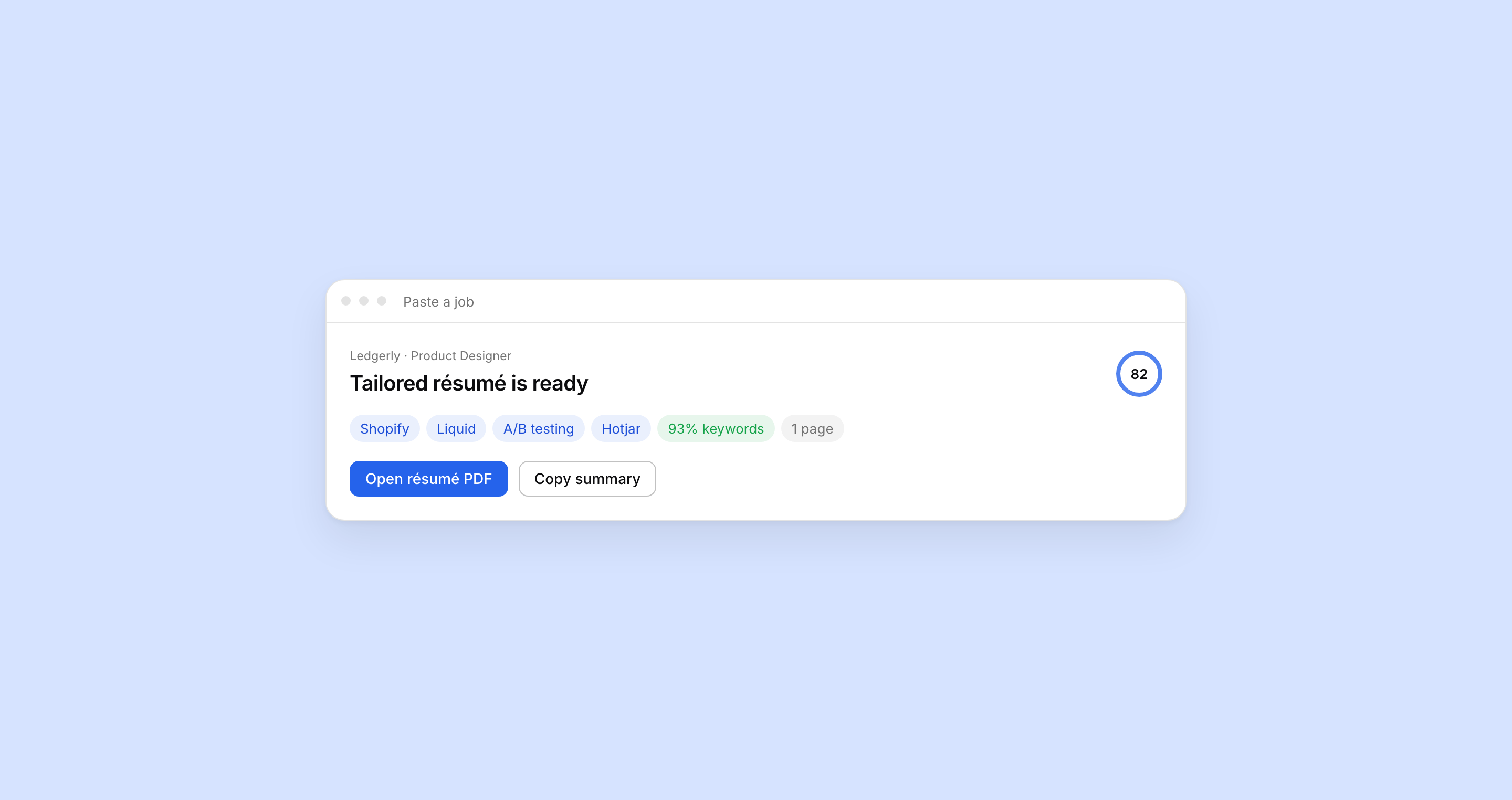
Job Hunting Agent: Sponsor-Aware Résumé Tailoring Across 148 Company Job Boards
Outcome
What's the Job Hunting Agent?
It's a local app that finds design jobs, ranks them, writes a tailored one-page résumé for each, fills in the application, and then waits for me to approve before anything is sent. It runs on my computer, and my résumé facts stay in a private folder that never leaves it.
I'm an international student who will need H-1B sponsorship, so a job tool that only ranks by skills fit wasn't enough for me.
Problem
Most job tools rank openings by fit, but I also needed to know who sponsors, and a résumé that stays true to what I've done.
Unique Challenge
A tailored résumé is only useful if it's honest. Every keyword, number and claim had to come from my own record, and the result still had to fit one page.
Short on time?Jump to the final designProcess
Starting From an Open-Source Agent, Then Rebuilding It
I started from an open-source agent that finds jobs and asks before sending. I cut its self-update link to keep my data private, then built the rest myself: sponsor-aware scoring, evidence-based tailoring, posting filters, a Paste a job tab and the interface.
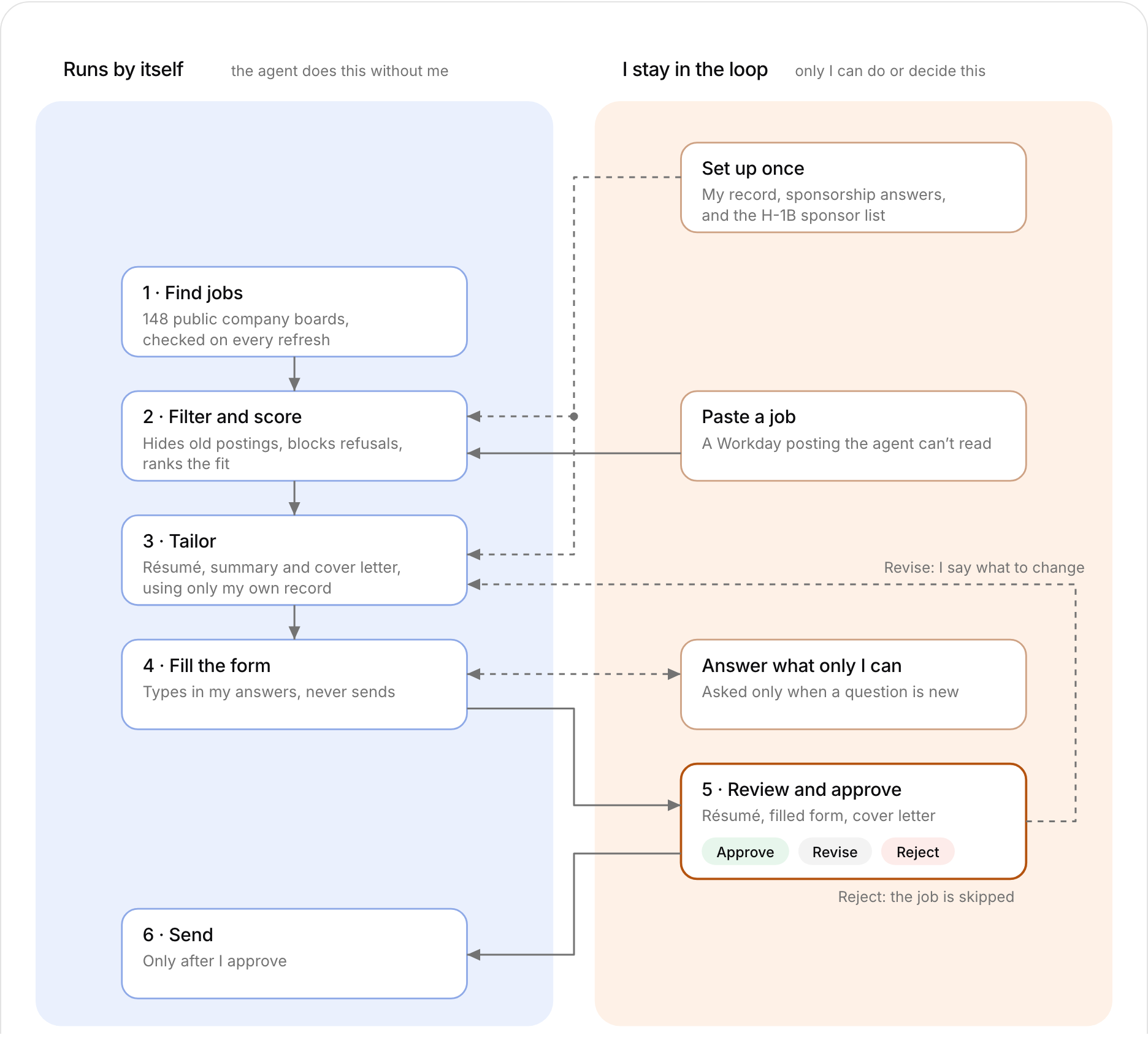
Solid arrows are the main flow. Dashed arrows are the things only I provide or decide. Nothing leaves my computer until I approve it.
Turning an H-1B Dataset Into the Company List
I gave the agent a dataset of design-role H-1B filings from FY2024 and FY2025 and used it to decide where to look. I kept employers with at least two filings, then checked each one against the public job boards by exact name so a lookalike company never slipped in.
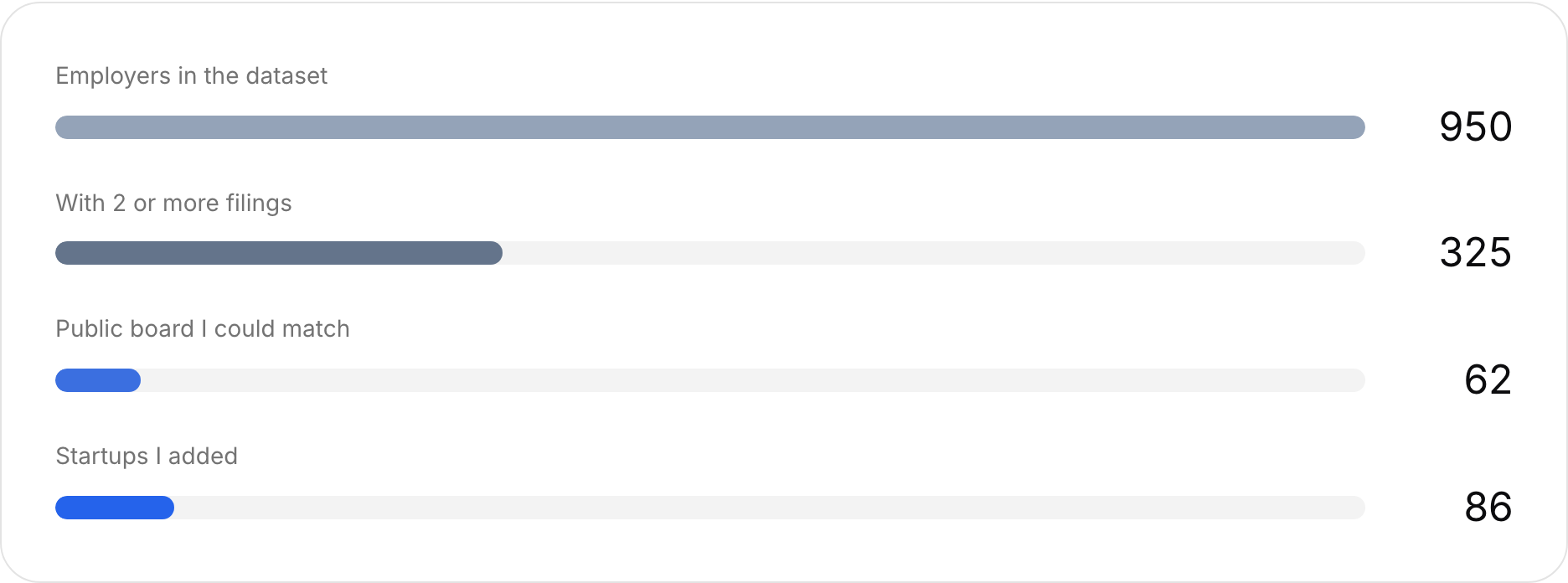
Total: 148 boards. The other sponsors, including Amazon, Microsoft and Google, run their own career sites, which led to the Paste a job tab below. I added the startups by hand across fintech, healthcare, e-commerce and AI, matching the sectors I've worked in.
Making "No Sponsorship" a Hard Stop
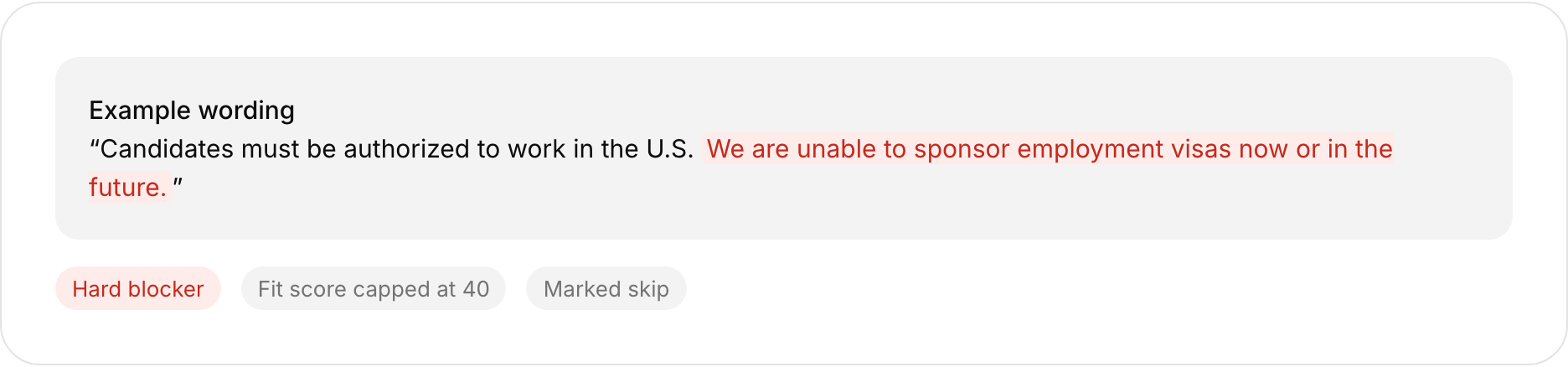
A posting that says it won't sponsor visas wastes my time, however good the fit. The first version missed one because the wording contained "U.S." and my pattern stopped at the period. Now the scorer reads my own sponsorship answers and treats a refusal as a blocker, and the job drops out of the queue.
Tailoring That Only Claims What's in My Record
The agent builds each résumé from my own bullets. Before it adds a keyword to the Skills line, it must find a line in my record that shows the same work. If it can't, the word stays off and the gap is listed for me to read.
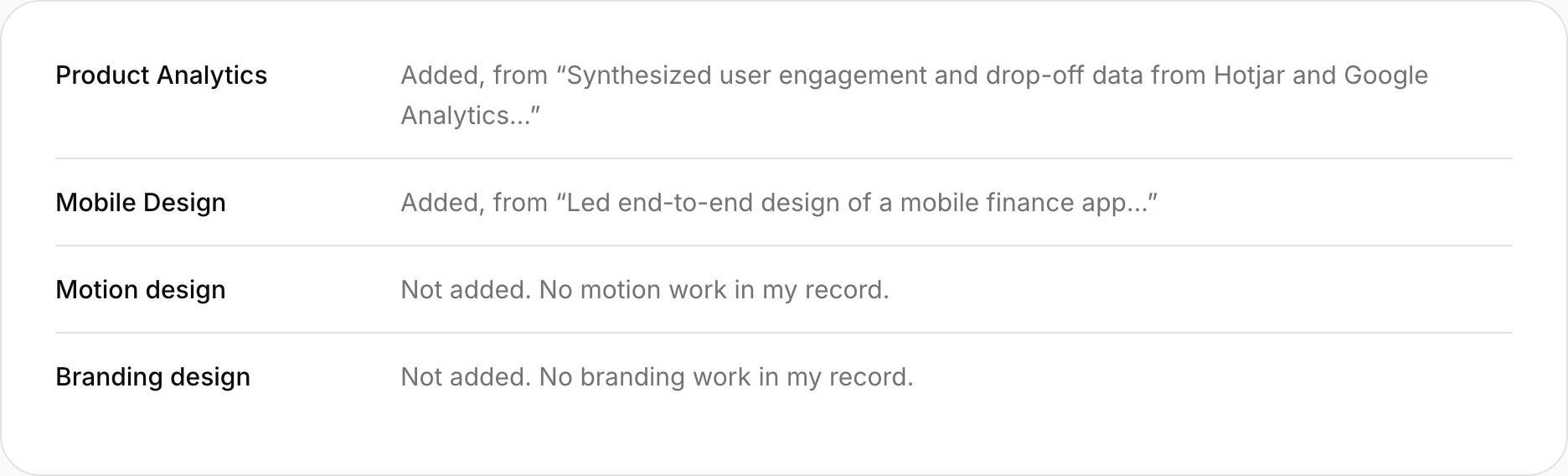

Only same-meaning wording changes, so the page doesn't read as stuffed. Each rewritten bullet also passes a read-aloud check, and the résumé is measured in a real browser so it never spills onto a second page.
Giving the Best-Matching Role More Room, With Its Numbers
Each role used to get the same number of bullets. Now the role that best matches the posting can take a fifth, and the role that matches least gives one up so the page stays one page. Bullets with a measured result are favored, so the metrics stay on the page.

No second role was far enough ahead on the healthcare posting, so the rule left it alone.
Paste a Job, for Sites the Agent Can't Read
Many large sponsors, like those on Workday, don't publish a board the agent can read. So I added a Paste a job tab: I paste the description, and I get the same scored, tailored one-page résumé. I apply myself, and nothing is filled in or sent for me.
Showing How Old a Posting Is
Some postings were months old. Each job now shows when it was posted, with filters for the past day, week or month, and postings older than 30 days are hidden. They're kept in the database, so the limit can be changed in one setting.

The To do list went from 46 jobs to 21. Older than 30 days are hidden.
Final Design
A five-second loop of the flow, from pasting a posting to a résumé ready for approval.
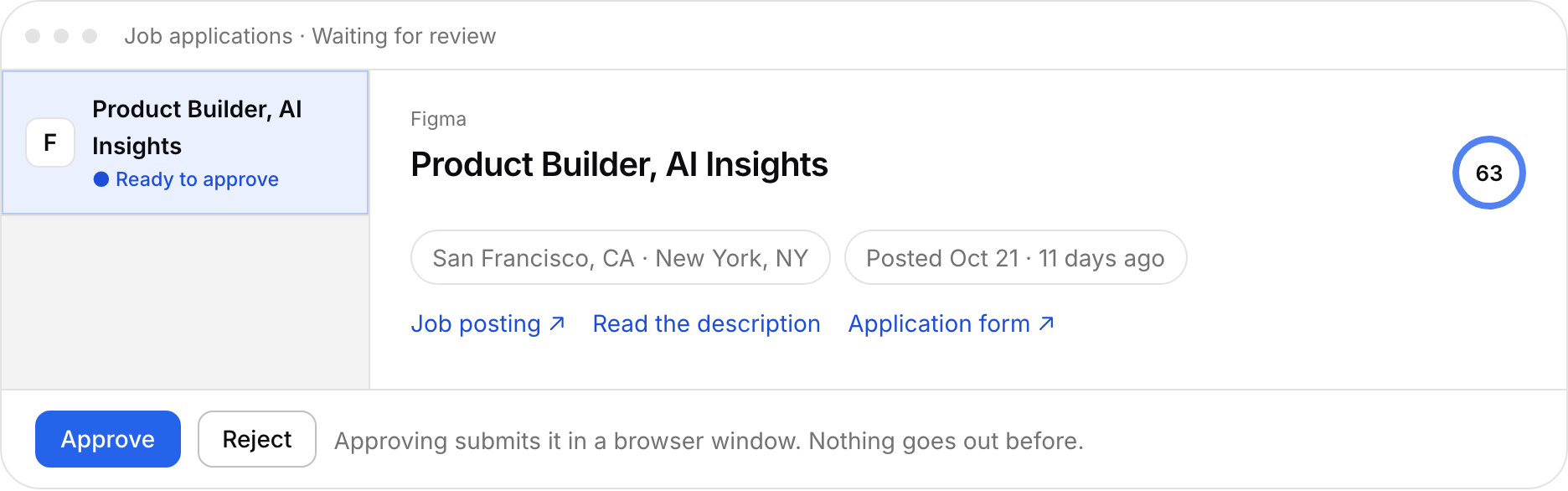
The review screen: one job at a time, with the tailored résumé, the filled form and a cover letter, and nothing sent until I approve.
What I Learned & Next Steps
Most bullets already matched, so tailoring stayed light
In my tests the agent changed about one to three of eleven bullets per résumé, because my record already used the right words. The bigger lift came from choosing which bullets to show and which keywords to add with evidence.
A sponsor list doesn't promise a sponsored job
Past filings show a company has sponsored designers, not that a given opening will. So the posting's own wording still decides, and that's why a refusal blocks a job.
Next: measure whether it gets replies
I haven't yet tracked whether tailored résumés lead to more interviews. The next step is to log each application's outcome, then compare, and to read Workday boards directly so fewer sponsors need pasting.