Automating Partner File Access: A Self-Service Client Portal Cutting Manual Work by 12%
Outcome
What's Primary Care Coalition?
Primary Care Coalition (PCC) is a Maryland nonprofit that improves healthcare access for underserved residents of Montgomery County through programs like Montgomery Cares and Care for Kids. It supports a network of partner clinics, hospitals, and funders, which means constantly exchanging files and data with external partners, the workflow this project set out to improve.
Problem
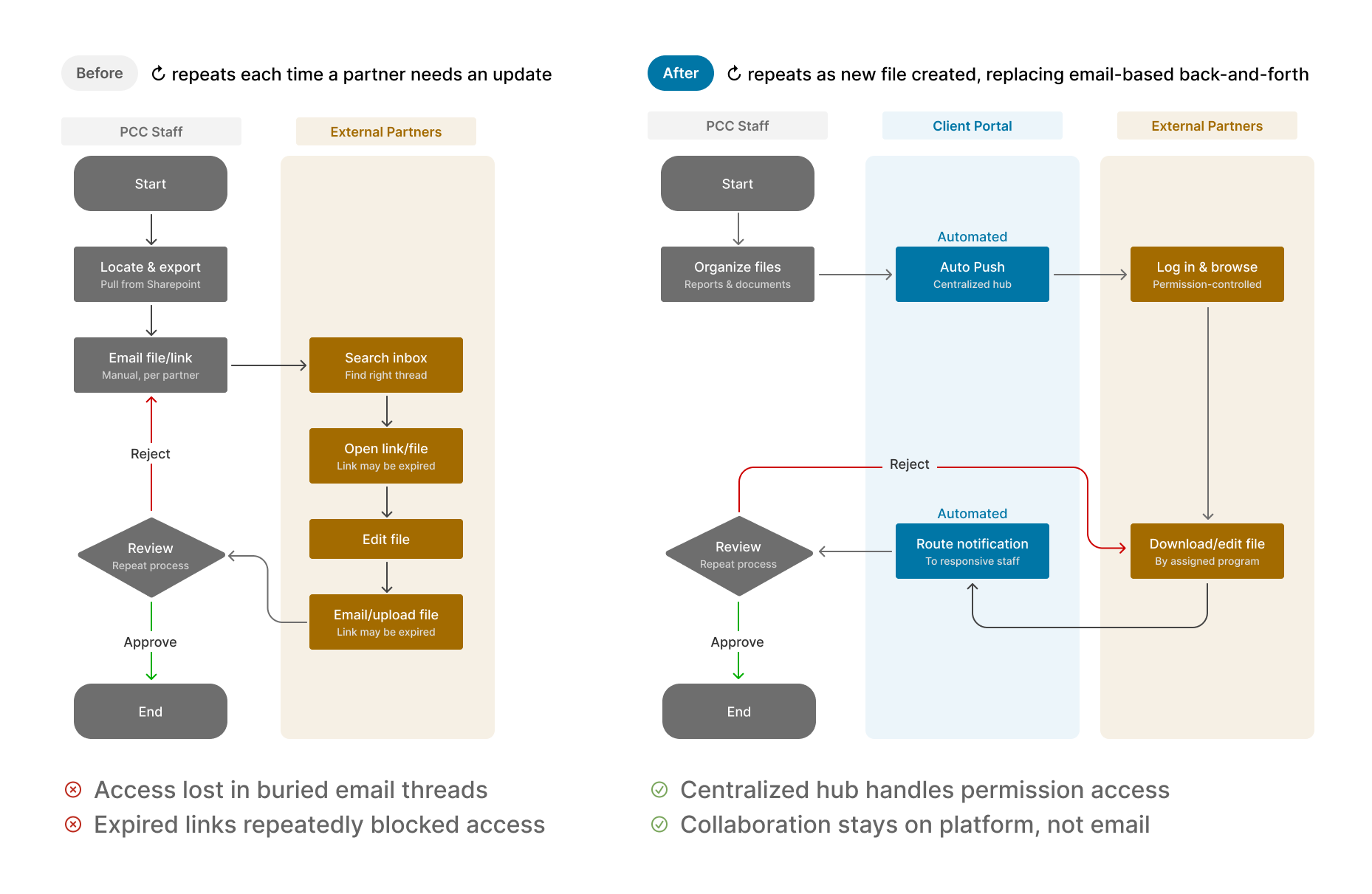
Insurance and program coordinators spent hours every week manually managing access and chasing files, and external partners regularly overwrote critical data.
Unique Challenge
Integrate within existing SharePoint ecosystem while complying with HIPAA and other healthcare data access regulations.
Short on time?Jump to the final designProcess
Research: Identifying the Access Problem
I conduct 6 stakeholder interviews across Operations and 5 Program teams, which revealed 2 persona and 3 main pain points for the current workflow:
Target User 1
Program Coordinator
(Internal Staff)

Task
Send files to partners, collect their data, and update internal records
Target User 2
Hospital Staff
(External Partner)

Task
Request PCC data for administrative filings and return files
Research Insights
- Manual links drain staff timeInternal staff spend hours emailing hand-made access links that partners lose in their inboxes.
- Default security locks partners out.SharePoint's private-environment settings frequently block external partners from reaching their files.
- No data isolation puts files at risk.Without strict separation, partners accidentally overwrite critical documents and break version control.
Ideation: An Automated Shared Space
I proposed building a shared space as client portal, replacing manual link creation with a persistent, permission-based area partners could return to.
Finding the Middle Ground Within Constraints
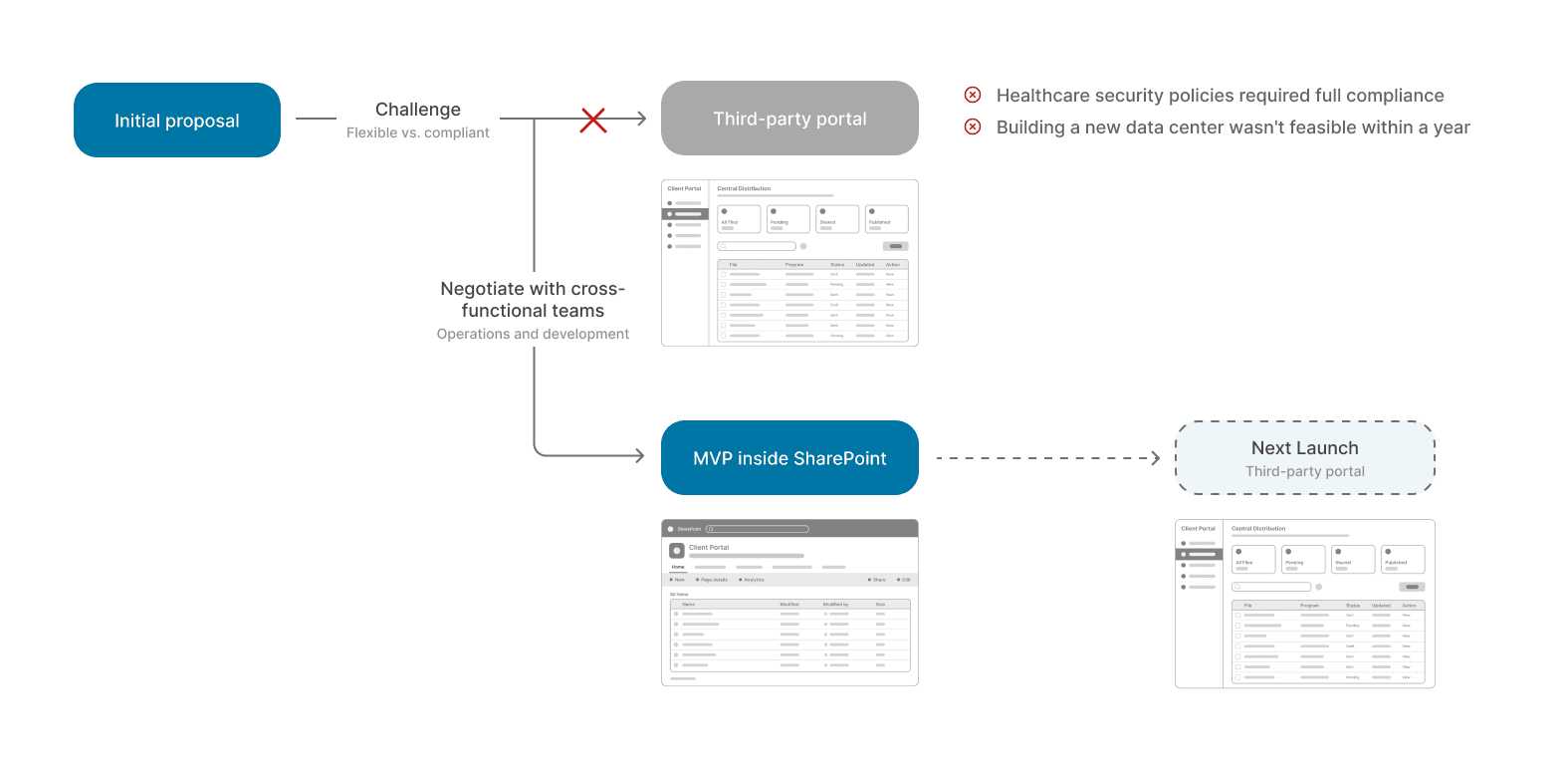
I proposed a third-party portal for full flexibility, but healthcare data regulations required SharePoint unless we built a compliant data center. After exploring alternatives with the operations and development teams, I pivoted to an MVP using SharePoint's supported features, while development evaluates a new platform for the next launch.
Placing the Shared Space Within Healthcare Data Constraints
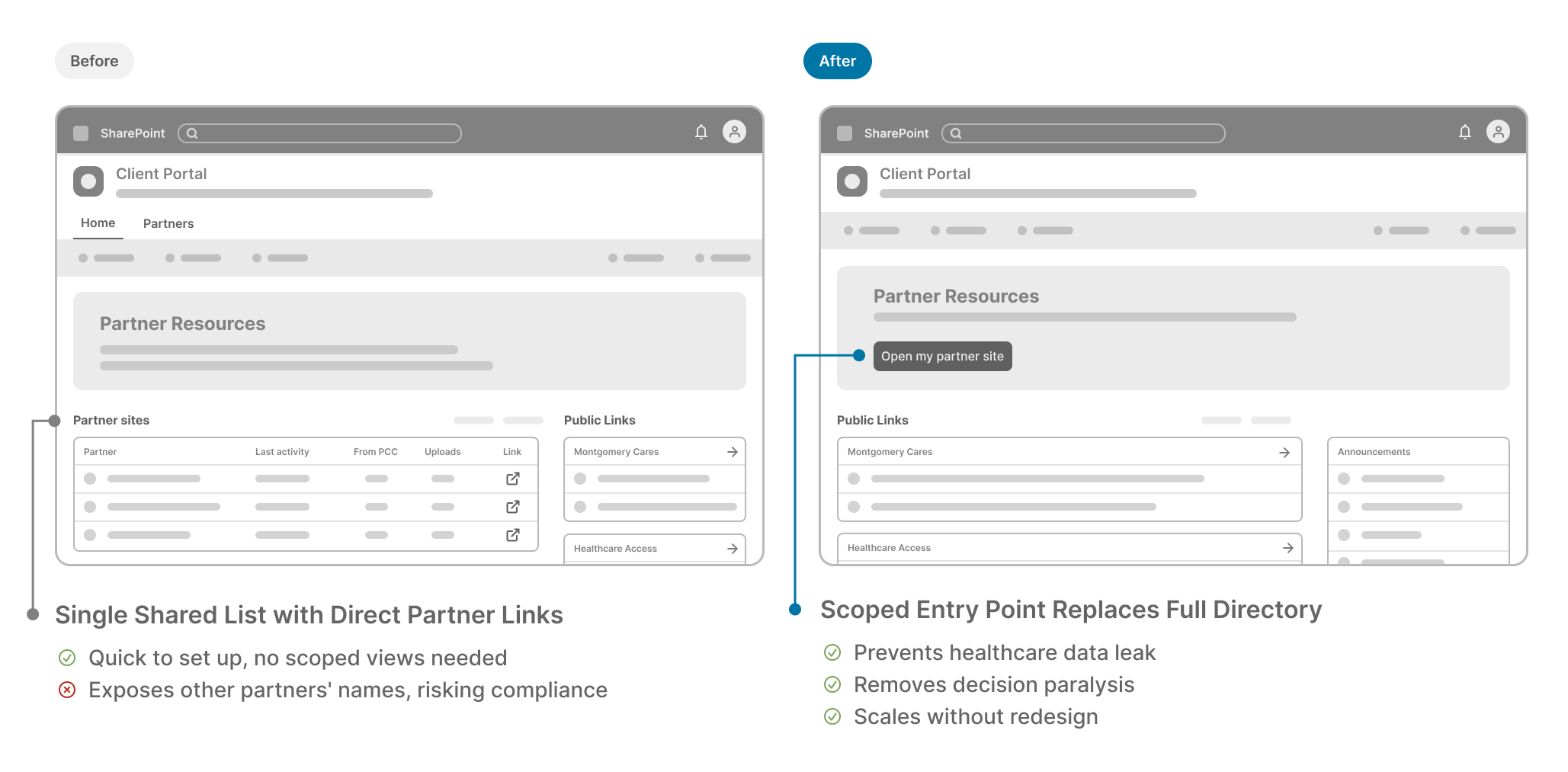
Initially we planned to put the centralized hub inside PCC's internal SharePoint structure, but the need to limit healthcare data access permissions led us to work with stakeholders and pivot the scope to a separate, secure portal focused solely on external partner access.
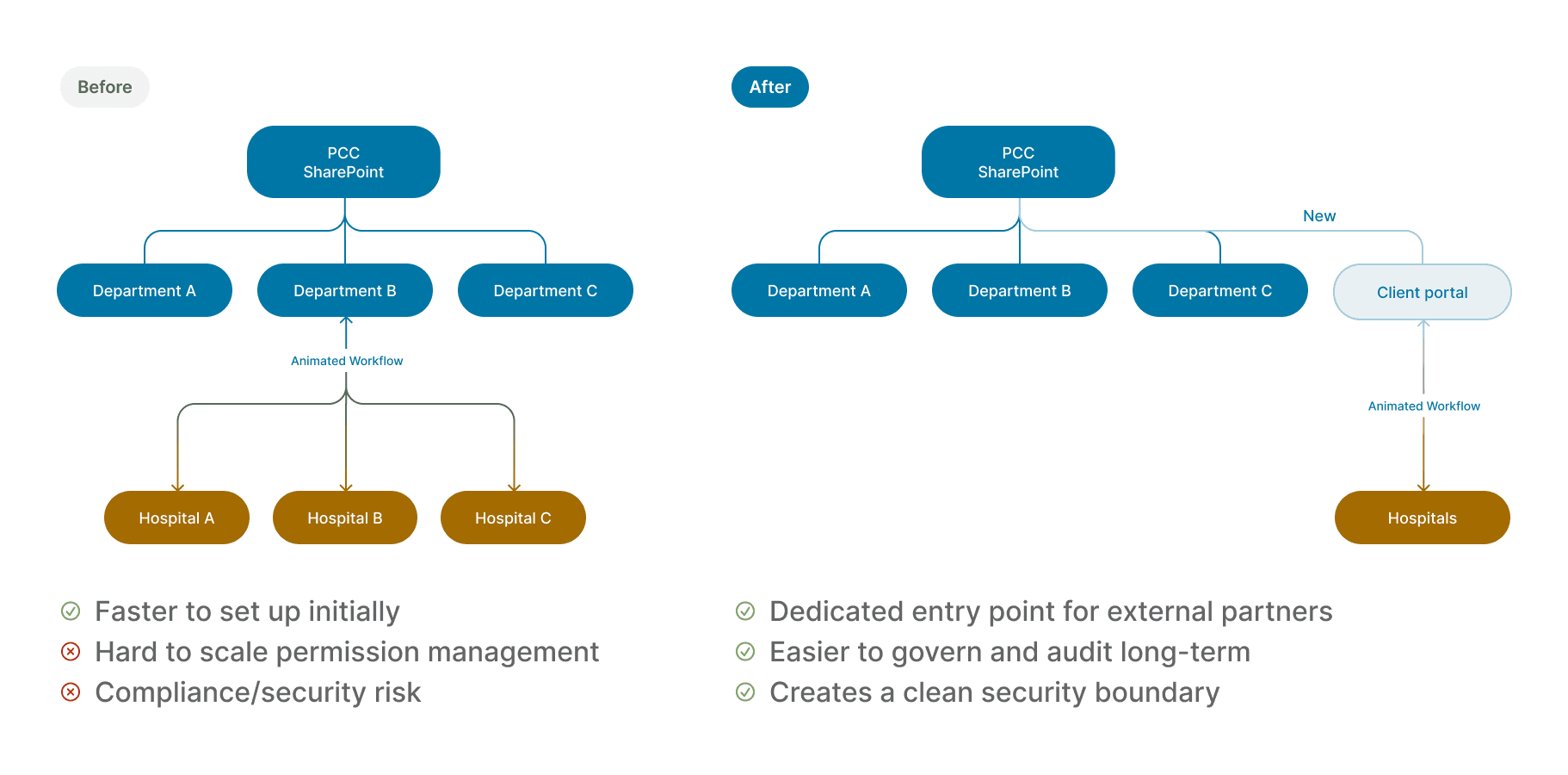
Designing the Information Architecture
I designed a central portal that surfaces public files first, then routes each partner to their own isolated site for partner-specific data, more setup upfront, but far less maintenance, and it closes the manual-access gap research uncovered.
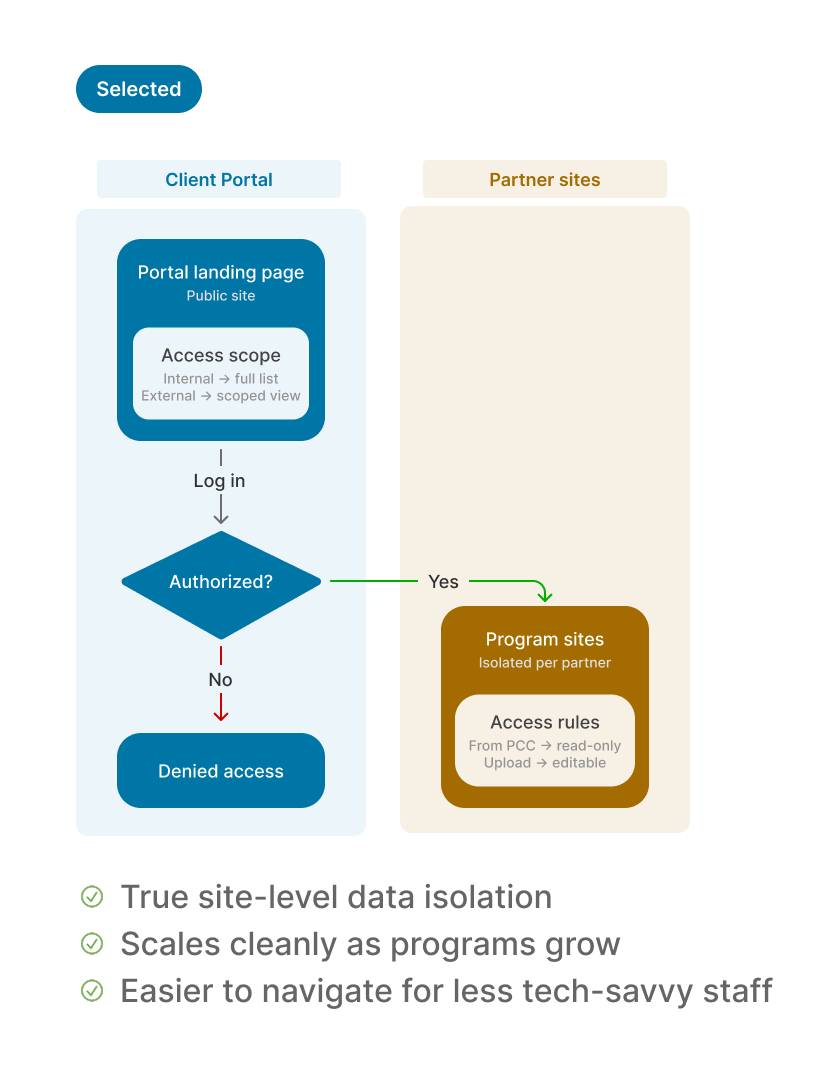
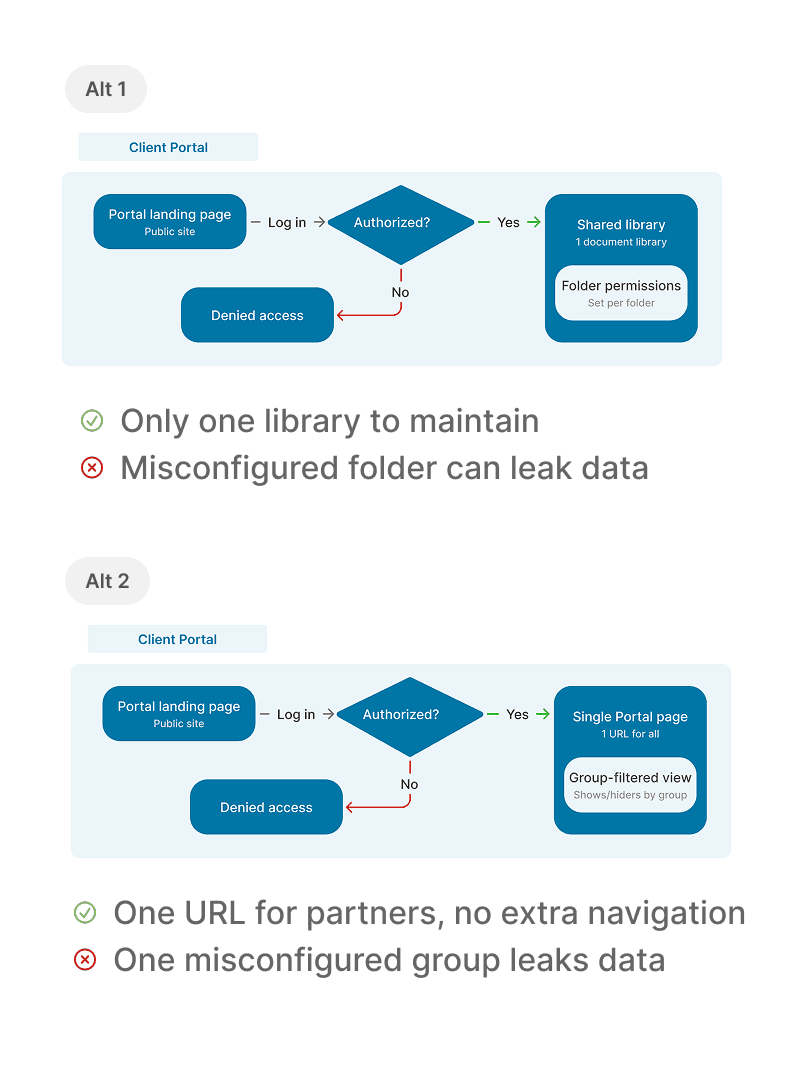
Organizing Menu by Task, Not Department
For the internal staff view, I chose to organize menu items by task type, like "Central Distribution" and "Master Inbox", rather than by internal department structure.
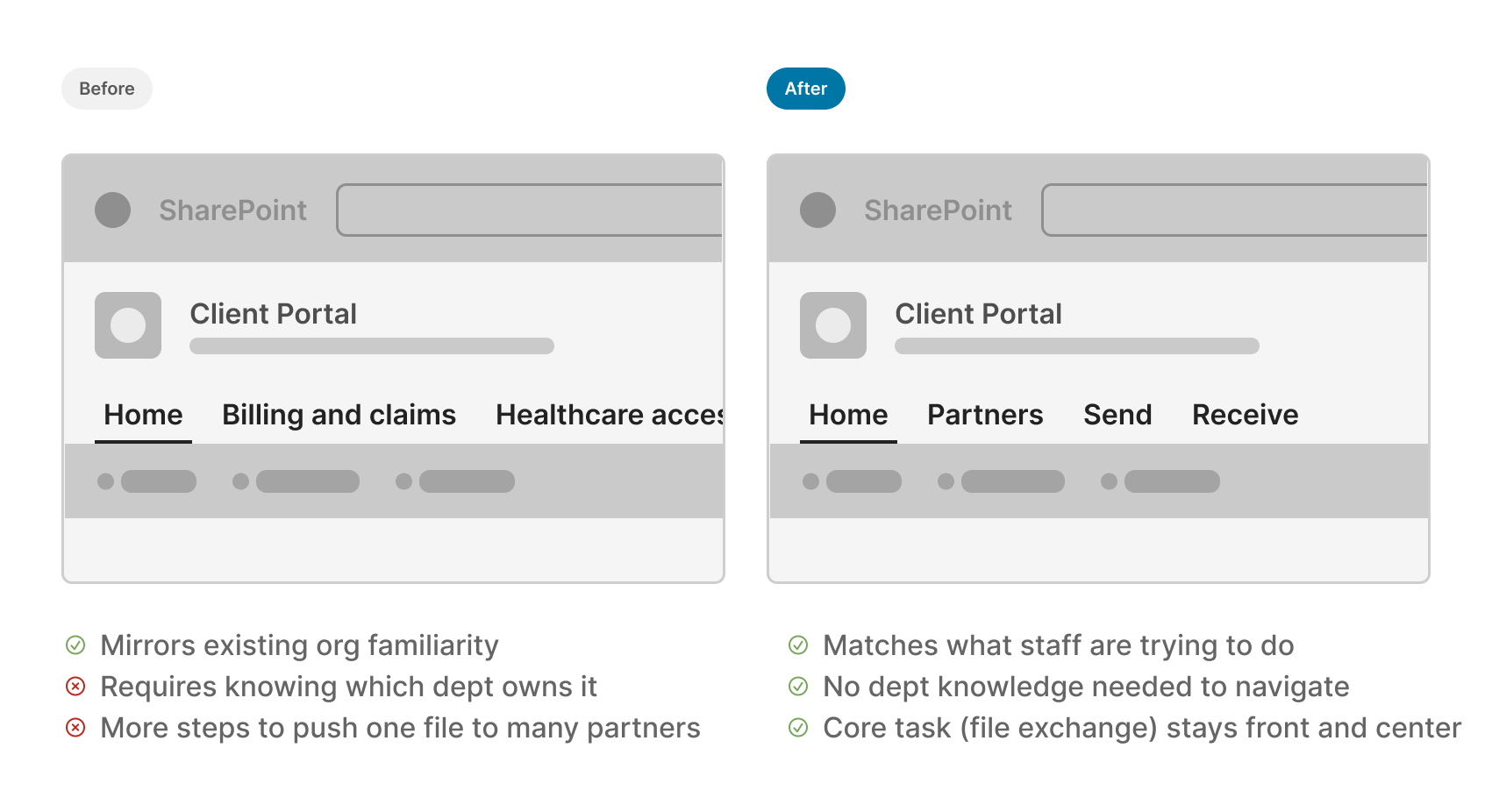
User Testing and Iteration
I built mid-fidelity Figma wireframes, used Claude to make them clickable, and ran 5 moderated usability sessions with internal healthcare staff, iterating on the design and validating the concept with the legal team before handoff.
Finding 1: The Portal Entrance Needed Role-Based Views to Prevent Cross-Partner Exposure
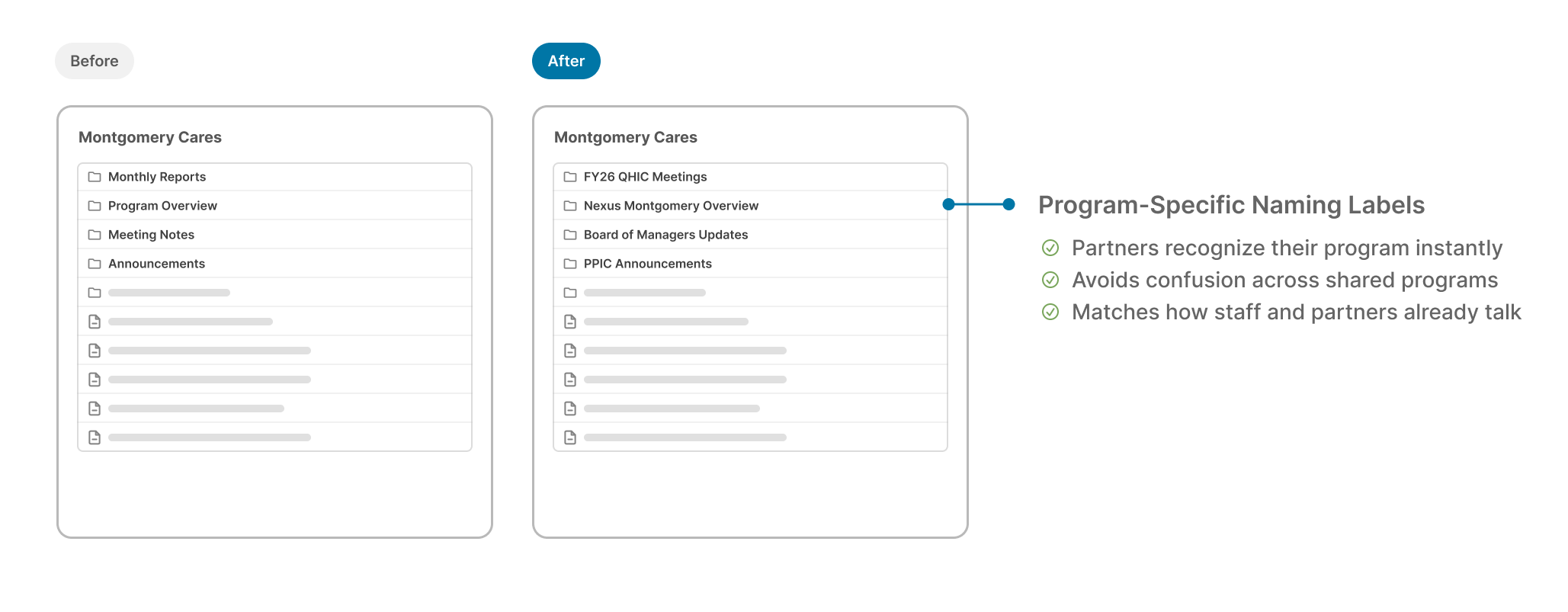
Finding 2: Program Managers wanted self-serve subfolder structures instead of one-size-fits-all sections
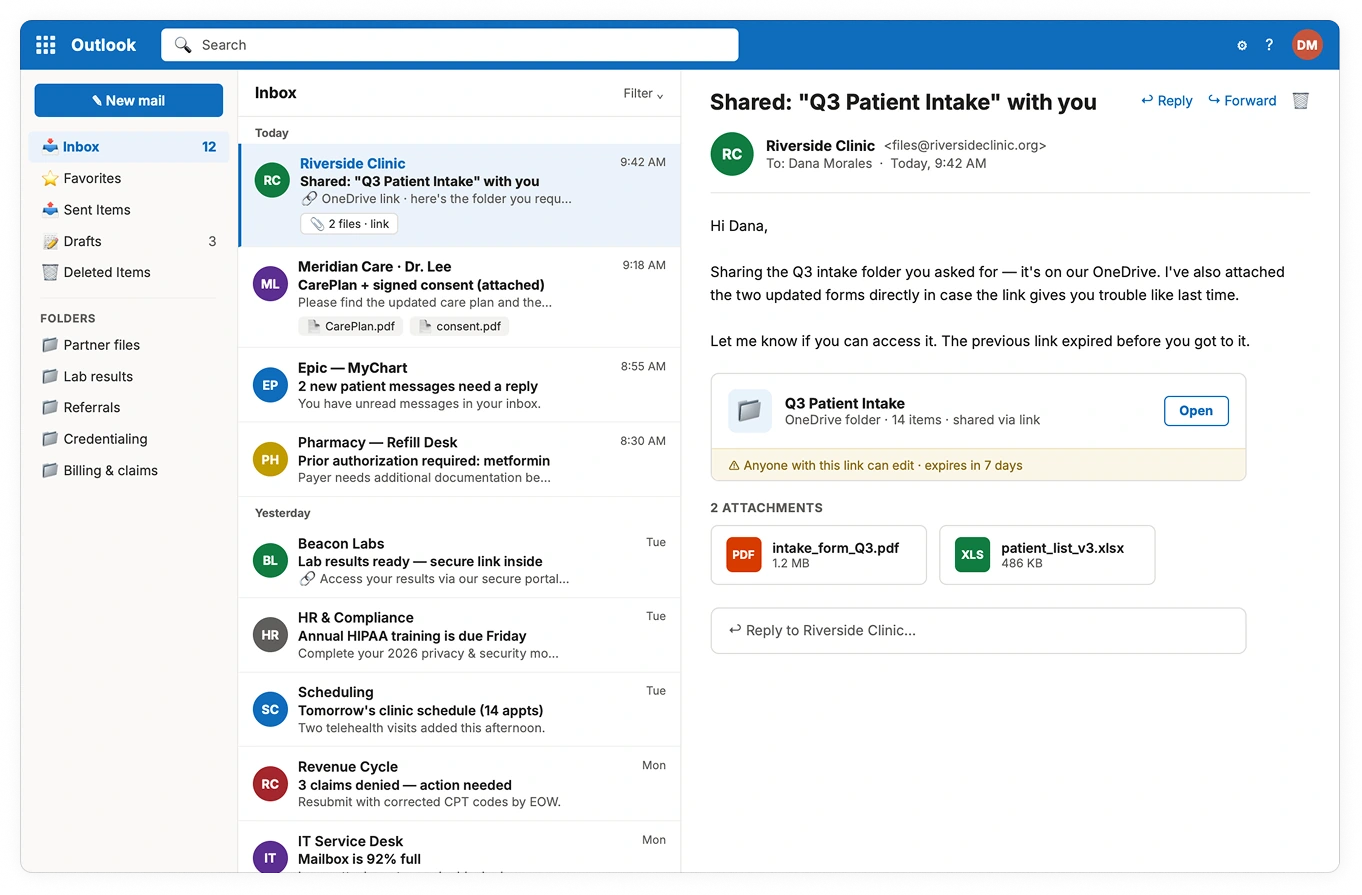
Final Design: A Centralized Client Portal
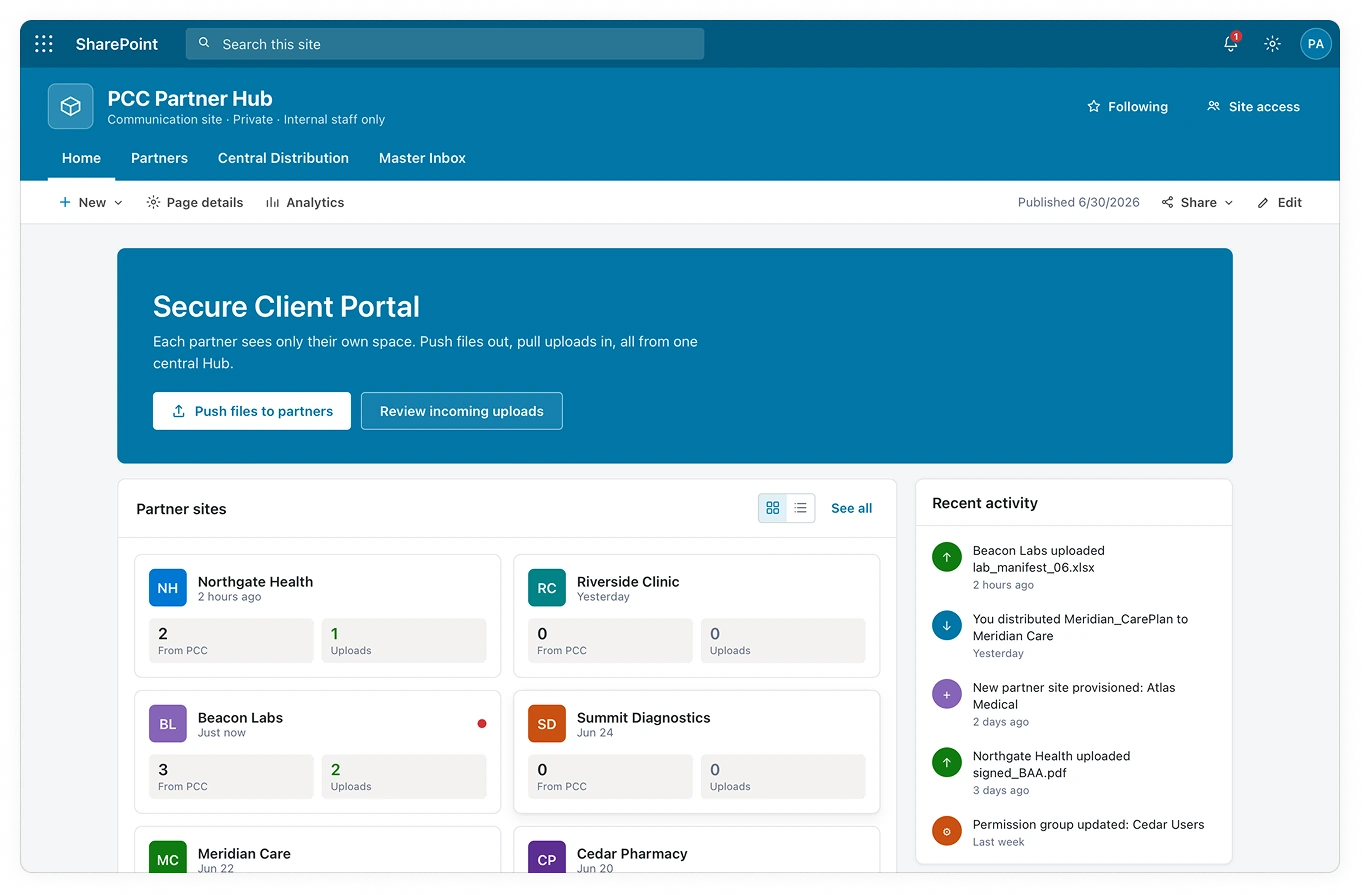
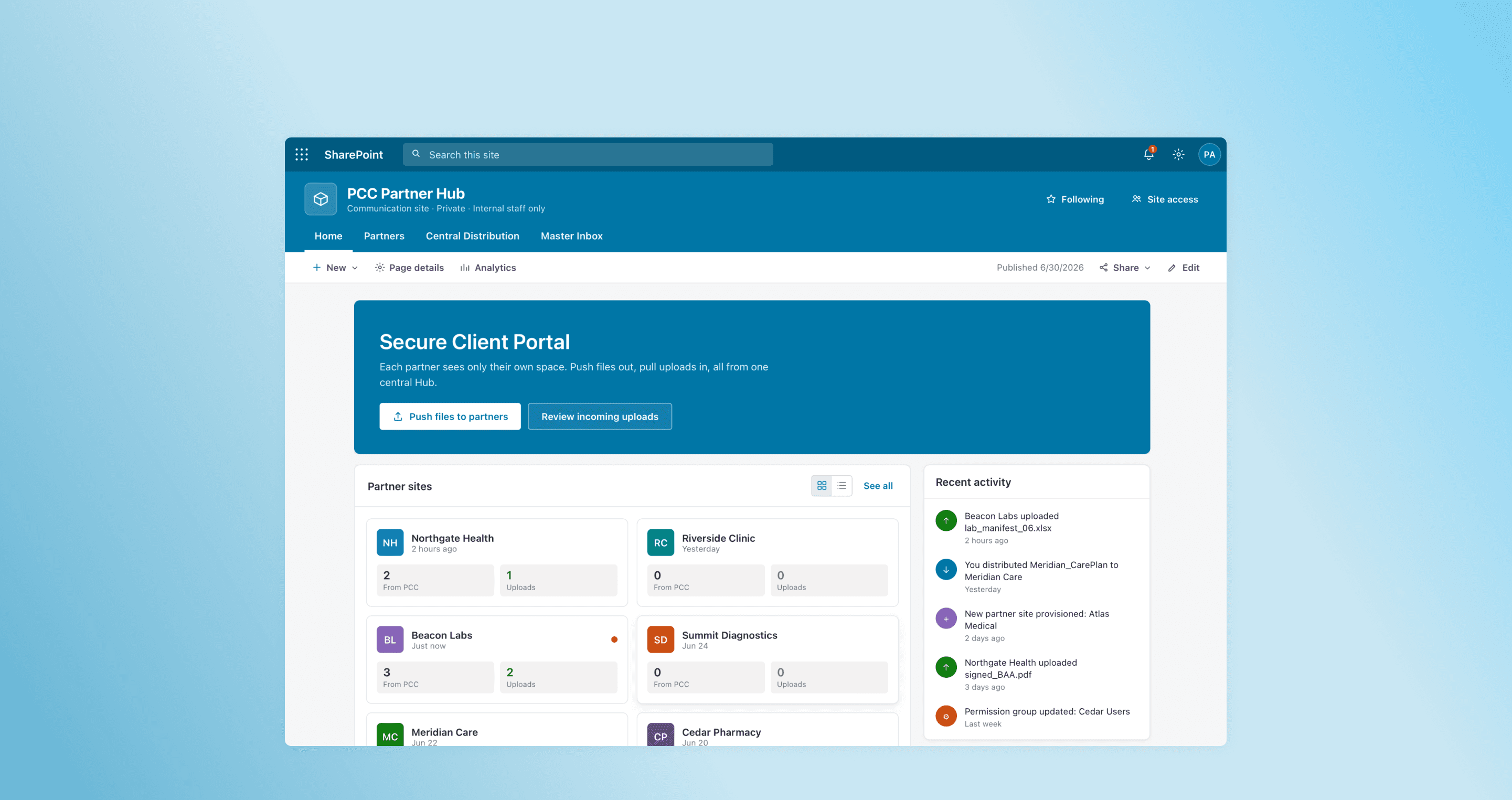
One dashboard for PCC staff: partner sites, files distributed, uploads received, and alerts, with push and review in a click.
Problem solved: Staff wasted hours hunting for files and links scattered across inboxes, now everything lives in one view.
Drop a batch in the Central Library; a Power Automate flow routes each file to the right partner's read-only From PCC folder and emails them.
Problem solved: Staff manually added users and sent files one by one, automation replaces the repetitive provisioning work.
New uploads trigger a notification card to responsive staff in the Master Inbox, so staff process every submission from one place instead of 20 sites.
Problem solved: Incoming files were lost across email and scattered folders, a single inbox catches every submission.
Every partner gets its own site with inheritance broken, so none can see another, each listed with its permission group setting.
Problem solved: Partners were locked out by SharePoint's default permissions, isolated sites give each one reliable, scoped access.
Separate read-only "From PCC" and Upload folders keep partner data private and PCC's originals safe from overwrites.
Problem solved: Partners kept overwriting critical shared files, read-only From PCC access prevents accidental edits.
Impact
I chose three metrics that map directly to the problems research uncovered, so each number shows whether a specific pain point was solved.
83% Less Time Spent on Partner Access
Staff spent about 1 hour of every 8-hour day sending email access links, roughly 12% of their workload. Automation cut that to about 10 minutes, freeing up around 50 minutes daily.
34% Task Completion Time Reduced
Sending and receiving files is the portal's core job, so speed was the clearest signal. In usability testing, I timed pushing one file to multiple partners and compared it with the email sending flow.
80% Task Success Rate
4 of 5 testers completed the push and pull files flow without help. They were already familiar with SharePoint, so newer users may need more guidance.
Reflections
Establish a Technical Contingency Plan Earlier
Instead of waiting for environment permissions, I would proactively initiate secondary research and platform-independent wireframing to further minimize the impact of technical roadblocks.
Formalize Design-to-Development Handoff
I would integrate engineering-aligned documentation within the design system from the start to more seamlessly bridge the gap between prototypes and the final implementation environment.
Next Steps
Validating with External Partners
So far, usability testing has only covered internal PCC staff, the next step is validating the portal's public/private link model and folder navigation directly with external partner organizations.
Sorting Incoming Uploads
As partners upload files through the portal, the system needs a way to sort and route incoming content (e.g., by program or file type) rather than leaving everything in a single undifferentiated inbox even if it's assigned by responsive staff.